

If you are asking how long does it take for Google Ads to work, the useful answer is not simply “a few days” or “three months.” Ads can start serving quickly, but reliable lead or sales performance takes longer because Google needs conversion data and enough traffic to judge performance.
The timeline depends on budget, search demand, bidding, tracking, your landing page, and how long customers take to buy. This guide shows what to expect and what slows progress.
Key Takeaways
- Google Ads can begin serving after approval, but early clicks are not the same as stable, profitable performance.
- Smart Bidding optimization depends heavily on conversion volume and conversion-cycle length, so low-volume accounts often need more time.
- Frequent campaign changes, broken tracking, weak landing pages, and unrealistic budgets can delay useful results far more than the platform itself.
How Long Does It Take for Google Ads to Work?
A new campaign may begin generating impressions and clicks soon after it becomes eligible. Google says most ads are reviewed within one business day, although some reviews take longer.
That answers when ads may start running. It does not answer when they will produce dependable business results.
For a simple local service with strong demand, a clear offer, and accurate conversion tracking, you might see leads in the first few days. For a higher-ticket B2B service with a longer buying cycle, it may take weeks before enough conversions accumulate to judge cost per lead or return on ad spend.
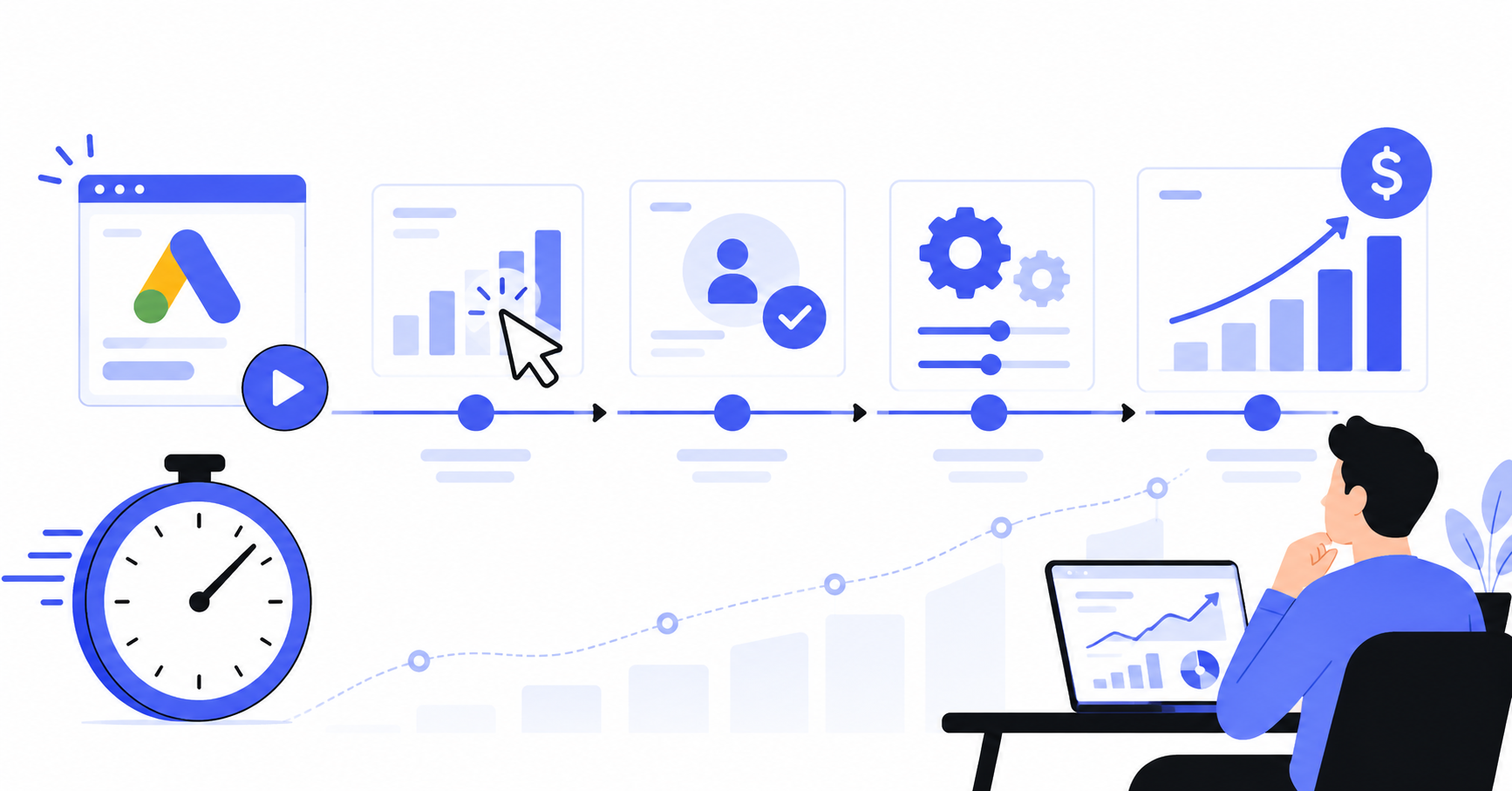
So, how long does Google Ads take to work in practical terms? Think in stages rather than one fixed deadline.
| Stage | Typical focus | What you can realistically judge |
| First few days | Approval, delivery, search terms, tracking | Whether ads are eligible and traffic is arriving |
| First 1 to 2 weeks | Initial data collection | Obvious setup problems and severe targeting waste |
| Following weeks | Conversion learning and refinement | Which keywords, ads, audiences, and landing pages deserve more budget |
| After enough conversion data | Efficiency and scaling | CPA, ROAS, budget expansion, and repeatable performance |
The exact timing depends on data volume. More conversions usually produce useful signals faster than a low-volume campaign.
What Happens During the Google Ads Learning Phase?
The Google Ads learning phase is not a countdown timer that ends on the same day for every advertiser. It is the period when automated bidding is adjusting to your goals and recent account changes.
Google states that learning duration is affected primarily by the number of conversions, the length of the conversion cycle, and the bid strategy being used. Google also says calibration may take a few conversion cycles, often one or two, depending on the data already available.
That means a business where customers convert within a few hours may collect useful feedback faster than a business where prospects typically take two weeks to request a proposal.
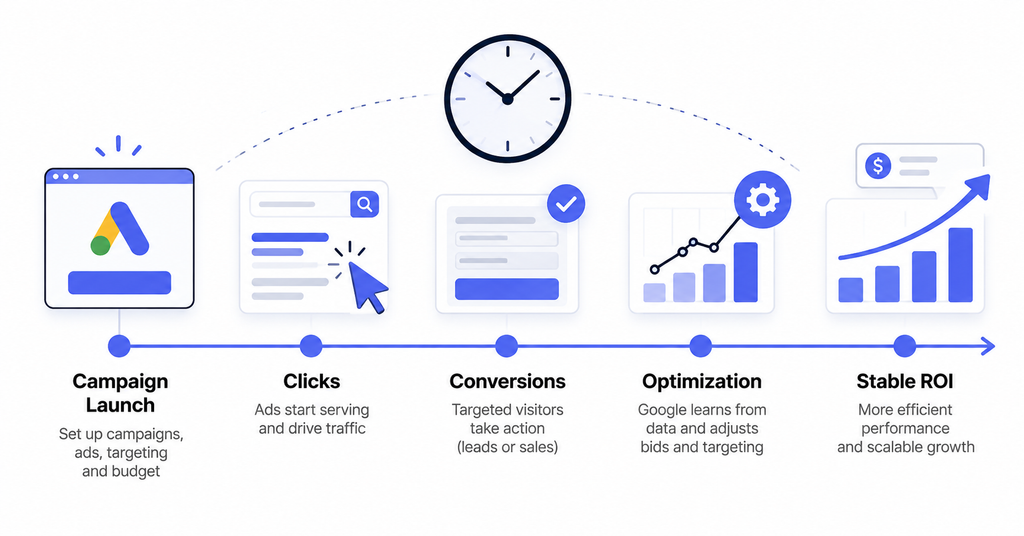
How long does it take for Google Ads to optimize?
If you are wondering how long does it take for Google Ads to optimize, start with your conversion cycle rather than a generic number of days.
Suppose your typical customer clicks an ad and converts within 24 hours. The system receives feedback quickly. If the same customer usually converts 10 days after the first click, recent campaign performance will naturally look incomplete for longer.
Optimization also continues after the visible “Learning” status disappears. Google keeps using new auction and conversion data to make bidding decisions. The goal is not to wait until a campaign becomes permanently “finished.” It is to reach a point where the data is reliable enough to make better decisions.
7 Reasons Google Ads Results Get Delayed
A slow start is not always normal learning. Sometimes the campaign is blocked by a fixable problem.
1. Conversion tracking is incomplete or wrong
If form submissions, calls, purchases, or qualified lead events are not being measured correctly, automated bidding is optimizing with weak information.
A campaign can look active while still making poor decisions because the system cannot distinguish valuable traffic from useless clicks. Test your primary conversions before judging performance.
2. Your budget is too small for the market
Budget determines how quickly you can buy enough traffic to learn.
If clicks in your market cost $15 and your daily budget is $20, you may collect only a small number of clicks each day. If your landing page converts 5% of visitors, it can take time to generate enough conversions to identify a pattern.
This does not mean you should blindly increase spend. It means your budget must be large enough to generate meaningful data relative to CPC and conversion rate.
3. Search volume is low
Some businesses simply do not have enough relevant searches every day.
A niche industrial service targeting one small region can take longer to build a useful sample than a broad home-service campaign in a major city. More time may be required even if the campaign is structured correctly.
4. You keep making major changes
Frequent changes to bidding, campaign composition, targets, or conversion settings can trigger fresh learning and make comparisons harder.
If you change the budget Monday, switch bidding Tuesday, rewrite ads Wednesday, and change the landing page Friday, you no longer have a stable test. You have several overlapping tests with very little clean data.
5. Keyword intent is weak
Traffic volume alone does not create good Google Ads results.
A keyword can generate many clicks but still attract people who are researching rather than buying. Review search terms and separate high-intent commercial queries from informational or irrelevant searches.
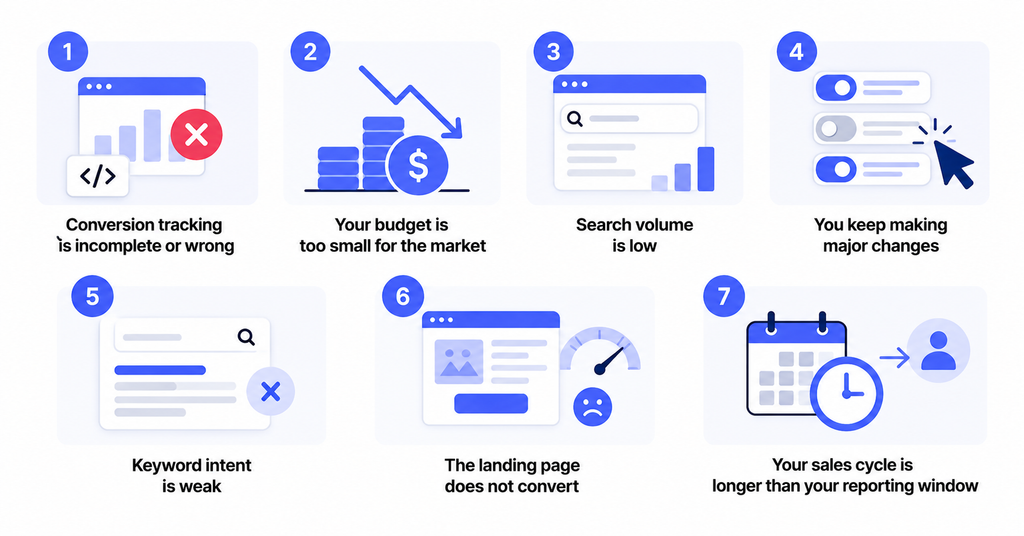
6. The landing page does not convert
Google can send relevant users to your site, but it cannot fix a weak offer or confusing landing page.
Slow pages, vague calls to action, missing trust signals, complicated forms, poor mobile usability, and a mismatch between the ad and landing page can all reduce conversion rate. If traffic quality looks reasonable but conversions stay weak, inspect the page before blaming bidding.
7. Your sales cycle is longer than your reporting window
A lead-generation business may get a form submission today but close the deal three weeks later. An ecommerce brand may generate a purchase within minutes.
Your evaluation window needs to match the real buying cycle. If customers take time to convert, recent CPA and ROAS can look worse before delayed conversions are recorded.
What Should You Check in the First 30 Days?
Do not spend the first month staring only at total conversions. Check whether the campaign is building a healthy foundation.
Days 1 to 3: confirm delivery
Check approval, billing, location targeting, impression delivery, and every primary conversion action. Fix obvious setup errors before judging performance.
Days 4 to 14: clean up traffic
Review search terms, add relevant negative keywords, and confirm clicks are coming from the locations and searches you intended to target. Look for clear waste, not daily volatility.
Days 15 to 30: evaluate conversion quality
Now inspect what happens after the click. Are leads qualified? Which keywords convert? Is one campaign consuming budget without meaningful actions? Use those answers to decide whether traffic, the landing page, or the offer needs work.
When Should You Change a Campaign Instead of Waiting?
“Give it more time” is useful only when the setup is fundamentally sound.
You should intervene sooner if ads are disapproved, tracking is broken, irrelevant searches are consuming budget, location targeting is wrong, your landing page is unavailable, or spend is occurring with no connection to the intended audience.
Waiting makes more sense when tracking is accurate, traffic is relevant, the campaign is still gathering conversion data, and recent changes have not had enough time to produce a fair sample.
Patience should protect a valid test, not a bad setup.
How to Speed Up Useful Google Ads Learning
You cannot force Google to create conversion data that does not exist. You can, however, make the signals cleaner.
Keep the account focused
Do not spread a modest budget across too many campaigns, locations, products, or services. Concentrate spend around offers with clear commercial intent.
Track the conversions that matter
Make sure primary conversion actions represent outcomes you actually want the bidding system to pursue. A page view and a qualified sales lead should not be treated as equal business outcomes.
Improve message match
The keyword, ad, and landing page should answer the same search intent. Tight message match can improve relevance and make conversion data more useful.
Give Google Smart Bidding enough clean data
Google Smart Bidding uses auction-time signals and conversion information to set bids toward your objective. Accurate, consistent signals matter more than simply buying more random traffic.
How Do You Know Google Ads Is Starting to Work?
Look for a chain of improvement rather than one magic metric. Relevant impressions should lead to targeted clicks, then measurable actions, then increasingly efficient conversion patterns.
For lead generation, track qualified leads, cost per qualified lead, lead-to-sale rate, and customer acquisition cost. For ecommerce, focus on purchases, conversion value, ROAS, average order value, and profit contribution.
A better CTR with no conversions is not enough. The campaign is working when paid traffic contributes to the business outcome you actually care about.
When Is It Time to Get Help?
If the account is spending consistently but you still cannot tell whether tracking, targeting, bidding, or landing-page performance is the bottleneck, more budget may only make the problem more expensive.
That is when it can make sense to work with an experienced Google Ads expert who can separate normal learning from setup problems and wasted spend.
A useful review should answer four questions: Is tracking accurate? Is the campaign buying the right traffic? Is the landing page converting that traffic? Is the bidding strategy appropriate for the amount of data available?
FAQs
How long does it take for Google Ads to start showing?
Most ads are reviewed within one business day, although some reviews take longer. Once eligible, delivery also depends on bids, budget, targeting, search demand, and campaign settings.
How long does Google Ads take to work for a new business?
It varies. A campaign may get clicks quickly, but dependable lead or sales performance requires enough conversion data to judge. Low traffic, long sales cycles, and limited budgets can extend the timeline.
How long does it take for Google Ads to optimize with Smart Bidding?
Google says learning depends on conversion volume, conversion-cycle length, and bid strategy. A few conversion cycles may be needed, so businesses with slower conversions generally need a longer evaluation window.
Should I increase my budget if Google Ads is not working yet?
Not automatically. First check tracking, search terms, targeting, conversion rate, and cost per click. More budget helps only when the campaign foundation is sound and additional traffic will produce useful data.
Can frequent changes slow Google Ads optimization?
Yes. Major changes can trigger learning or make performance comparisons less reliable. Make deliberate changes, document them, and give each meaningful test enough data before changing direction again.
Give the Campaign Enough Time, But Not Unlimited Time
The answer to how long does it take for Google Ads to work depends less on a fixed number of weeks and more on how quickly your campaign collects trustworthy conversion data.
Let valid tests run long enough to produce evidence. Fix broken tracking, irrelevant traffic, weak landing pages, or unrealistic budgets early. The goal is not to wait patiently forever. It is to know when the campaign needs more data and when it needs a better strategy.