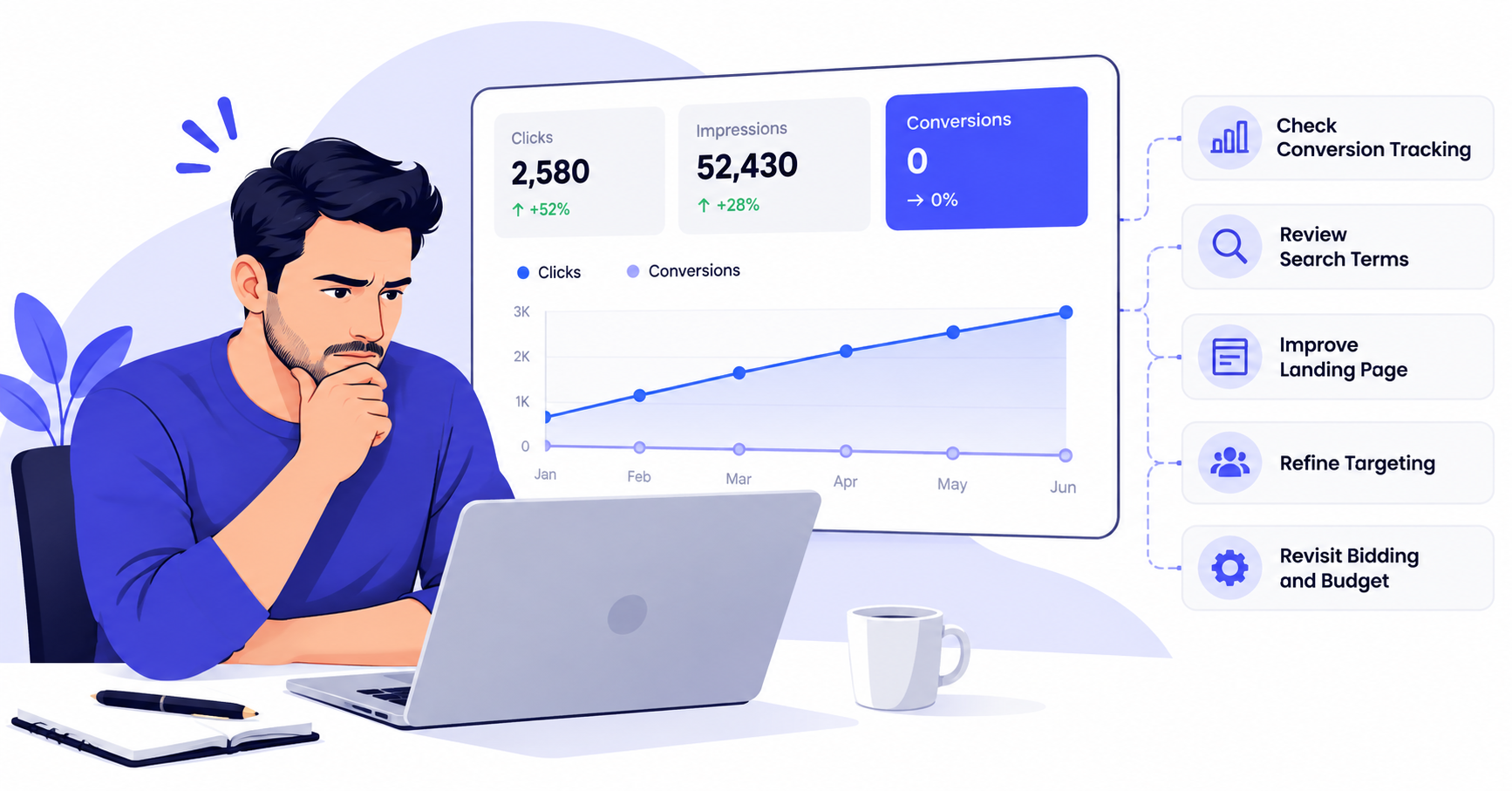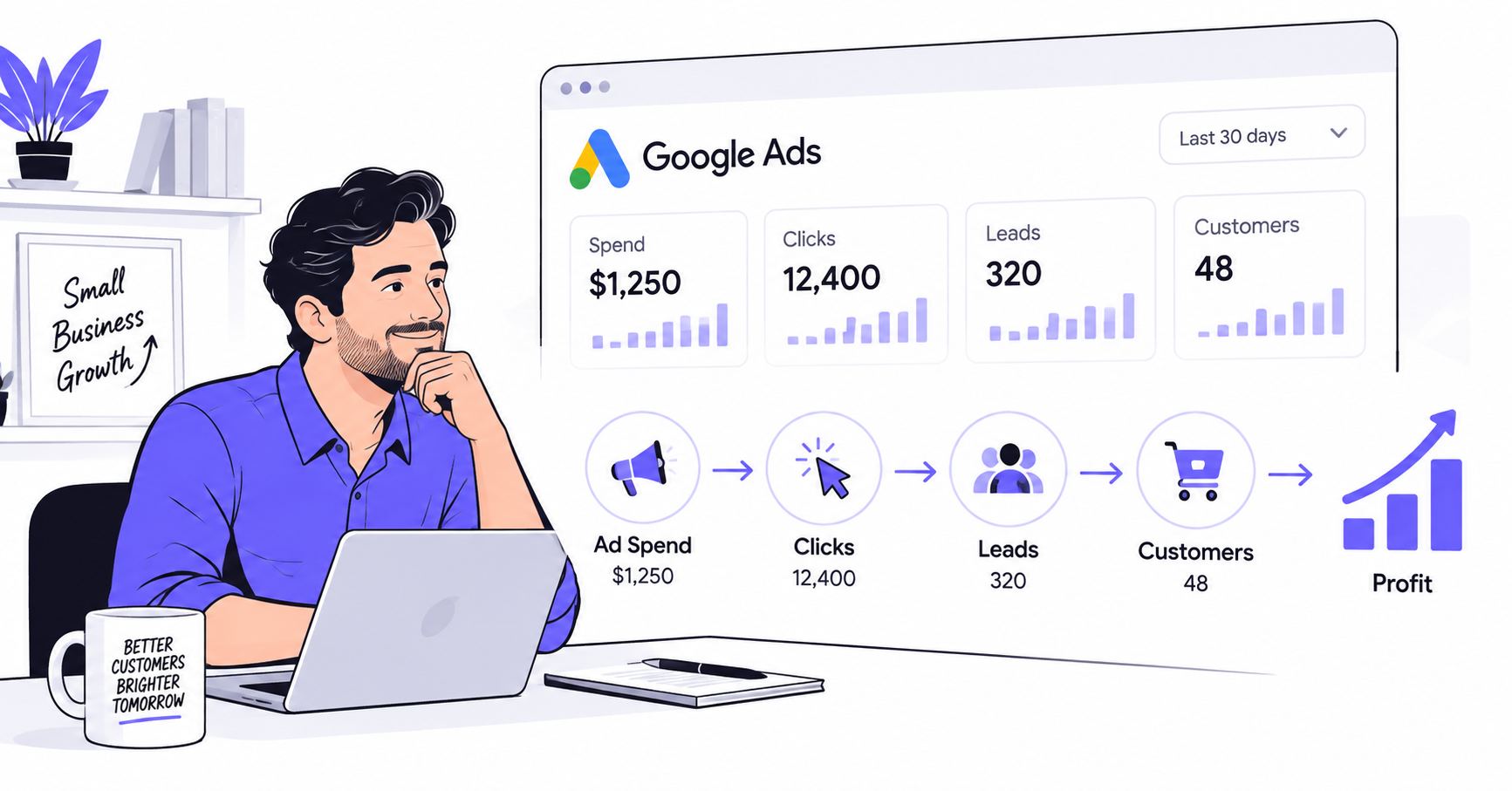


If your Google Ads are getting traffic but not leads or sales, spending more is usually the wrong first move. The problem may be tracking, search intent, your landing page, the offer, or campaign settings.
This guide shows you what to check, in the right order, before you increase the budget.
Key Takeaways
- Verify tracking first. A reported zero is useless if Google Ads cannot see your real leads, calls, or purchases.
- Review the actual searches that generated clicks, not just the keywords you added to the campaign.
- Increase spend only after you know the conversion path works and the campaign is reaching people with the right intent.
Google Ads Not Converting? Start by Finding Where the Funnel Breaks
A click only tells you that someone was interested enough to visit. It does not tell you whether the person was qualified, whether the page matched the ad, or whether your conversion tracking worked.
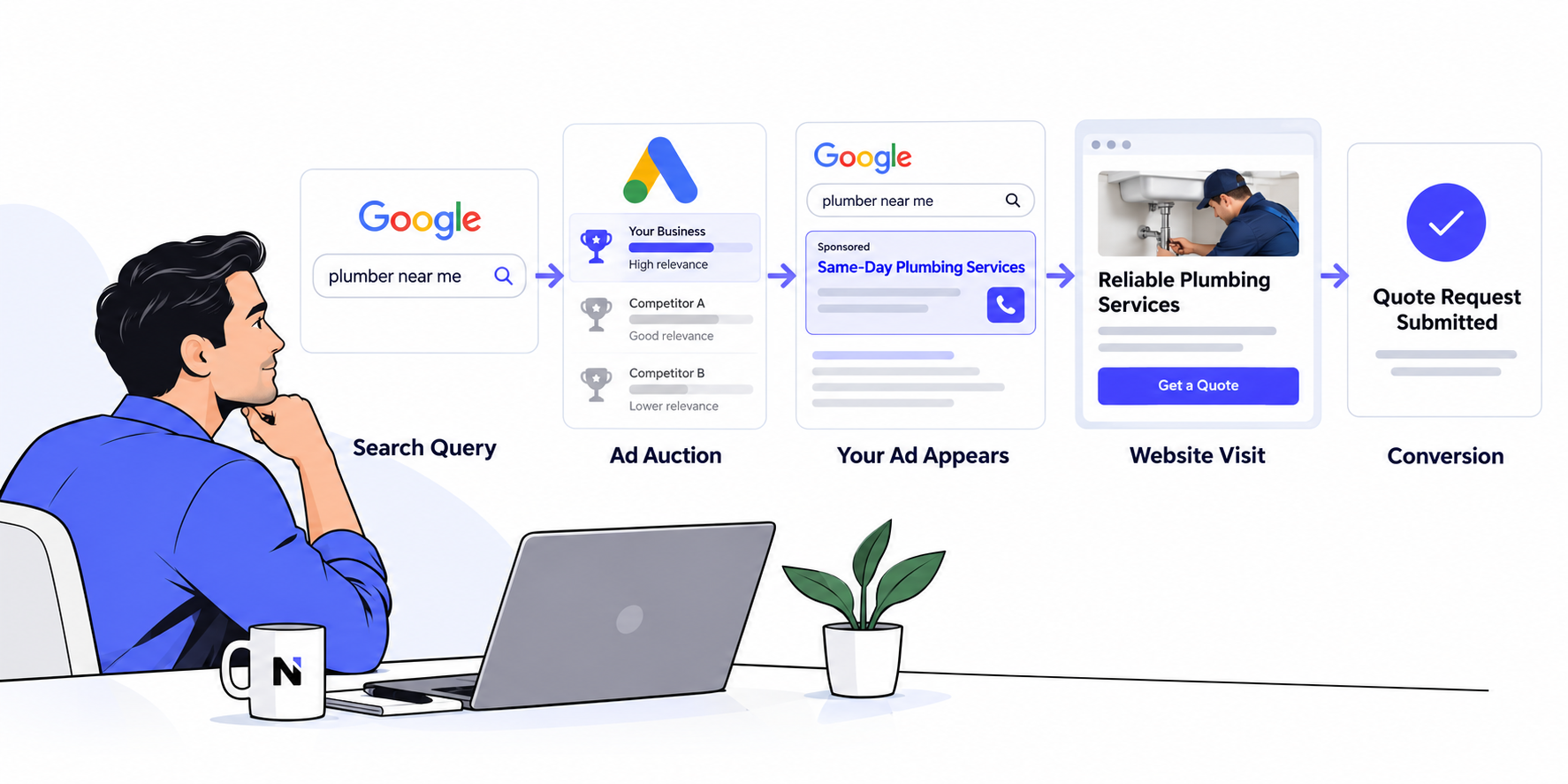
Treat the campaign as a chain:
Search query → ad → click → landing page → action → tracked conversion → customer
Your job is to find the first weak link.
| What you see | What to check first |
| Customers are contacting you, but Ads shows zero conversions | Conversion tracking |
| Many clicks come from irrelevant or informational searches | Search terms and keyword intent |
| Traffic looks relevant, but visitors leave quickly | Landing page and message match |
| Forms start but are not submitted | Friction, form length, trust, or technical errors |
| Leads arrive but are low quality | Targeting, offer, qualification, and keyword intent |
| Everything looks reasonable, but volume is tiny | Data volume, bids, budget, and time |
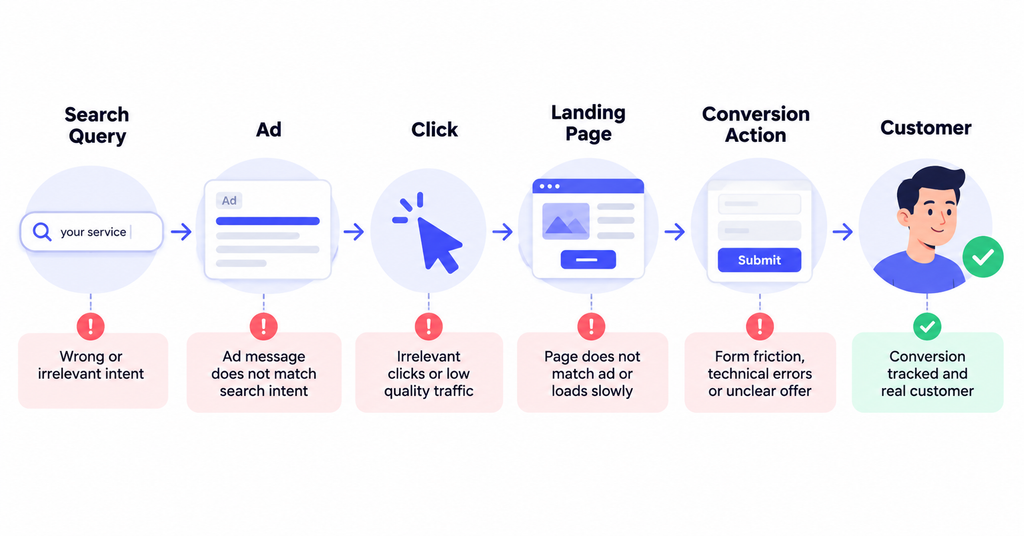
Do not change five things at once. If you rewrite ads, change bids, rebuild the landing page, and switch targeting on the same day, you will not know what actually fixed the problem.
1. Verify Google Ads Conversion Tracking Before You Trust the Data
When you see Google Ads no conversions, first confirm that “zero” is real.
Google Ads conversion tracking should record the actions that matter to your business, such as purchases, qualified form submissions, booked calls, or phone calls. Google recommends checking conversion action status and troubleshooting inactive or unverified tags when conversions are not being recorded correctly.
Run a real test conversion yourself. Submit the form. Complete a test purchase if practical. Click the phone number on mobile. Then confirm the correct conversion action fires.
Check for common problems:
- The tag never fires.
- The tag fires on page views instead of completed actions.
- A thank-you page is missing or can be loaded without completing the form.
- The same conversion fires twice.
- A meaningful conversion is configured as secondary when your bidding strategy needs it as a primary goal.
- A website redesign or form change broke a tag that previously worked.
- Your CRM shows leads that never appear in Google Ads.
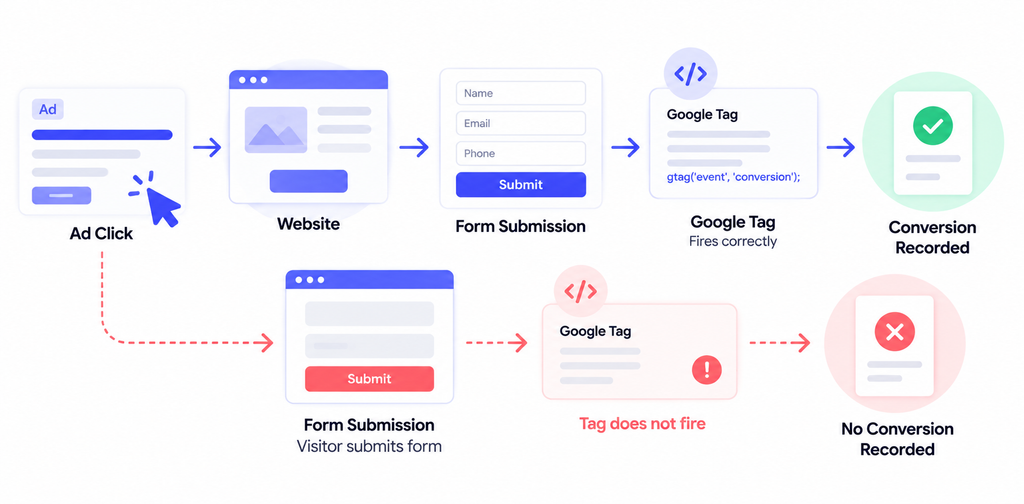
Do this before making strategic decisions. Broken measurement can make a healthy campaign look broken, and it can also give automated bidding the wrong signals.
2. Check the Search Terms Report for Bad Intent
If tracking works, the next question is simple: who is actually clicking?
Your keyword list is not the same as the searches people type into Google. The search terms report shows the queries that triggered your ads. Google recommends using it to identify relevant searches and add irrelevant terms as negative keywords.
Look for searches that signal the wrong intent:
- “free”
- “jobs”
- “salary”
- “course”
- “template”
- “DIY”
- “definition”
- locations you do not serve
- products or services you do not sell
- research queries when you need ready-to-buy traffic
This is especially important if you are using broad match. Broad match can reach related searches beyond the exact wording of your keyword, so query review matters.
Do not automatically block every informational query. Some businesses have longer sales cycles. The goal is to separate useful research behavior from traffic that has almost no realistic path to revenue.
A practical rule is to read the query and ask: If this person landed on my page, would my offer make sense for what they just searched?
If the answer is no, you found a leak.
3. Make Sure the Ad and Landing Page Promise the Same Thing
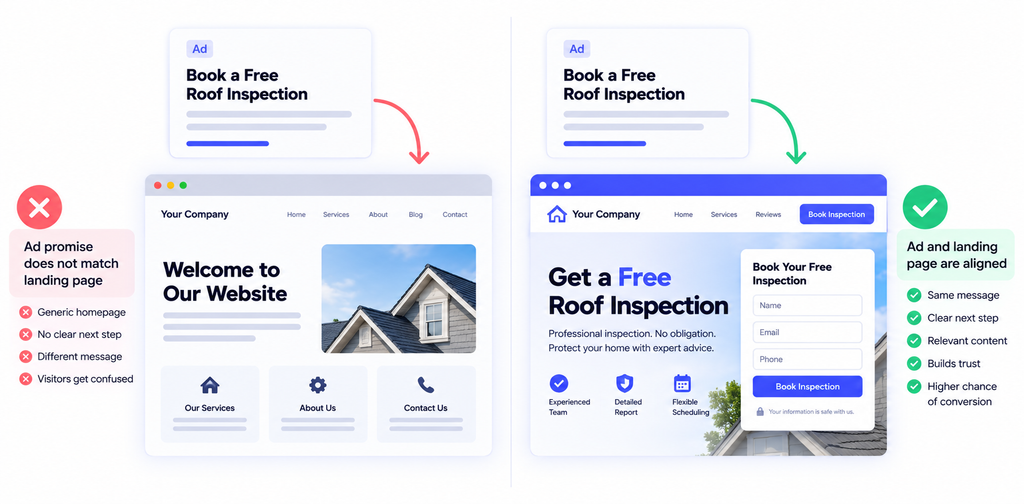
Google Ads clicks but no conversions often means the ad did its job, but the page did not continue the conversation.
If your ad says “Book a Free Roof Inspection,” the landing page should make that inspection obvious. Sending the visitor to a generic homepage forces them to search for the next step.
Google’s landing page guidance emphasizes close alignment between keywords, ads, landing pages, and the call to action. That alignment also contributes to landing page experience.
Check these five things above the fold:
- Does the headline match the searcher’s problem?
- Does it reinforce the promise made in the ad?
- Is there one obvious next action?
- Can the visitor understand the offer without scrolling?
- Is there enough proof to reduce doubt?
A landing page should answer “Am I in the right place?” almost immediately.
4. Remove Friction From the Conversion Action
Relevant traffic can still fail to convert because the next step asks for too much.
For a lead generation campaign, inspect your form like a first-time visitor. Asking for name, email, phone, company size, budget, address, project details, and a long message may help sales qualification, but it can also reduce completions.
Decide what information you truly need before the first conversation.
Then test the experience on a phone. Make sure:
- the form fits the screen,
- fields are easy to complete,
- buttons work,
- error messages are clear,
- the phone number is clickable,
- the page loads without obvious delay,
- the success message or thank-you page works.
For ecommerce, run the same audit on product pages and checkout. Look for surprise shipping costs, account-creation requirements, missing payment options, unclear returns, or technical errors.
5. Check Whether the Offer Is Strong Enough
Sometimes the campaign setup is fine. The offer is the problem.
People compare options. If competitors offer faster delivery, clearer pricing, stronger proof, a lower-risk trial, or a more specific result, your traffic may click and leave.
Review the page from a buyer’s perspective:
- What do I get?
- How much does it cost?
- Why should I trust this company?
- Why should I act now?
- What happens after I submit the form?
- Is there a lower-risk first step?
For service businesses, “Contact us” is often weaker than a specific action such as “Get a project estimate,” “Book a 20-minute consultation,” or “Request an account audit.”
The goal is not to manufacture urgency. It is to make the value and next step clear.
6. Review Location, Device, Network, and Schedule Performance
A campaign can use good keywords and still waste money through loose settings.
Check the locations where clicks actually came from. If you only serve a specific region, confirm that your targeting reflects that business reality.
Then segment performance by device. A mobile conversion problem may be a website problem rather than an advertising problem. If desktop visitors convert but mobile visitors abandon the page, inspect the mobile experience before reducing mobile traffic.
Also compare performance by hour, day, and network when enough data exists. Do not make aggressive exclusions from a tiny sample, but do investigate obvious patterns.
For lead generation, compare ad data with CRM outcomes. The cheapest lead source is not useful if those leads never become sales conversations.
7. Check Your Bidding Goal and Conversion Signals
Automated bidding can only optimize toward the signals you give it.
If the account is optimizing for weak actions, such as page views, button clicks, or unqualified form starts, it may generate more of those actions instead of revenue-producing leads.
Your primary conversion goals should represent meaningful business outcomes. Google’s documentation notes that primary versus secondary conversion configuration affects which signals bidding strategies can use for optimization.
Also avoid constant major changes when a new campaign has very little data. Frequent resets make it harder to understand whether the campaign is improving or simply reacting to new settings.
Before changing bidding strategy, confirm:
- conversion tracking is accurate,
- primary goals reflect real value,
- search traffic is relevant,
- the landing page works,
- the campaign has enough activity to evaluate.
Bidding is not a substitute for fixing the funnel.
8. Decide Whether You Actually Have Enough Data
Zero conversions feels alarming, but the number of clicks matters.
If your landing page normally converts at 5%, twenty clicks would imply roughly one conversion on average. Getting zero from a sample that small can happen without proving the campaign is fundamentally broken.
Instead of using a universal “number of clicks” rule, compare your campaign with a reasonable expected conversion rate for your own business.
For example, if you reasonably expect a 4% conversion rate, you would expect about four conversions per 100 clicks. If you have 150 highly relevant clicks, working tracking, and zero meaningful actions, the case for deeper changes is much stronger.
Use enough data to make a decision, but do not hide behind “the algorithm needs time” while obvious tracking, targeting, or landing page problems continue wasting budget.
9. What to Fix Before Increasing Your Google Ads Budget
Work through the checks in this order:
- Tracking: Confirm every important conversion can be recorded.
- Search intent: Remove clearly irrelevant queries and improve negative keywords.
- Message match: Align keyword, ad, landing page, and CTA.
- Page friction: Fix mobile usability, forms, checkout, and technical errors.
- Offer: Strengthen the value proposition, proof, and next step.
- Targeting: Review geography, devices, schedules, audiences, and networks.
- Bidding: Make sure automation is optimizing for real business outcomes.
- Budget: Spend more only when the system is capable of turning additional traffic into useful results.
More budget amplifies whatever is already happening. If the funnel is leaking, it buys more leakage. If the funnel is working, more budget can help you test whether performance holds at higher volume.
Metrics to Watch After You Make Changes
Do not judge the fix only by CTR.
Watch:
- conversion rate,
- cost per conversion,
- qualified lead rate,
- conversion value,
- revenue or pipeline generated,
- search term quality,
- landing page engagement,
- sales close rate.
For lead generation, cost per lead is only an intermediate metric. A $40 lead that becomes a customer is more valuable than a $15 lead that never replies.
Connect ad performance to what happens after the lead arrives.
FAQ
Why are my Google Ads getting clicks but no conversions?
The most common causes are broken tracking, irrelevant search terms, weak landing page alignment, conversion friction, poor offer fit, or loose targeting. Check them in that order before increasing spend.
Should I increase my budget if Google Ads have no conversions?
Usually not immediately. First verify tracking and traffic quality. A higher budget can generate more data, but it also increases waste if the campaign is attracting the wrong people or sending them to a weak page.
How many clicks should I wait before judging a Google Ads campaign?
There is no universal number. Base the decision on your realistic expected conversion rate, click volume, sales cycle, and whether tracking works. Small samples are noisy, so avoid major conclusions from only a handful of clicks.
Can Smart Bidding fix a campaign that is not converting?
Not if the underlying signals are poor. Smart Bidding works better when conversion tracking is accurate and the selected conversion goals represent actions that matter to the business.
Fix the Leak Before You Buy More Traffic
When Google Ads are not converting, do not start with the budget. Start with measurement, intent, and the post-click experience.
Find the first point where the funnel breaks, fix it, and then evaluate performance again with clean data. If the account needs a deeper audit, you can get help from a Google Ads specialist to review tracking, targeting, bidding, and the landing page as one system.