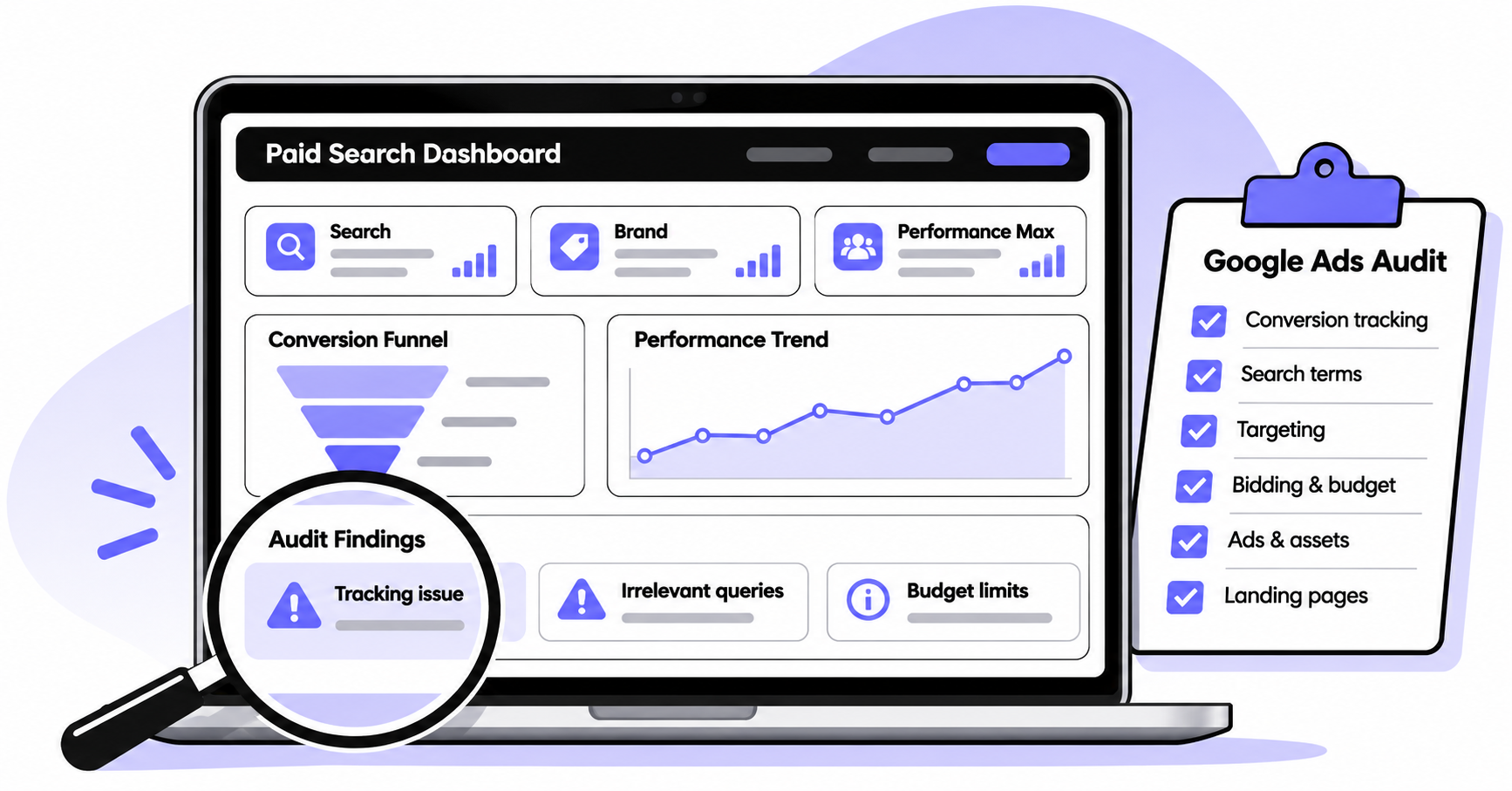


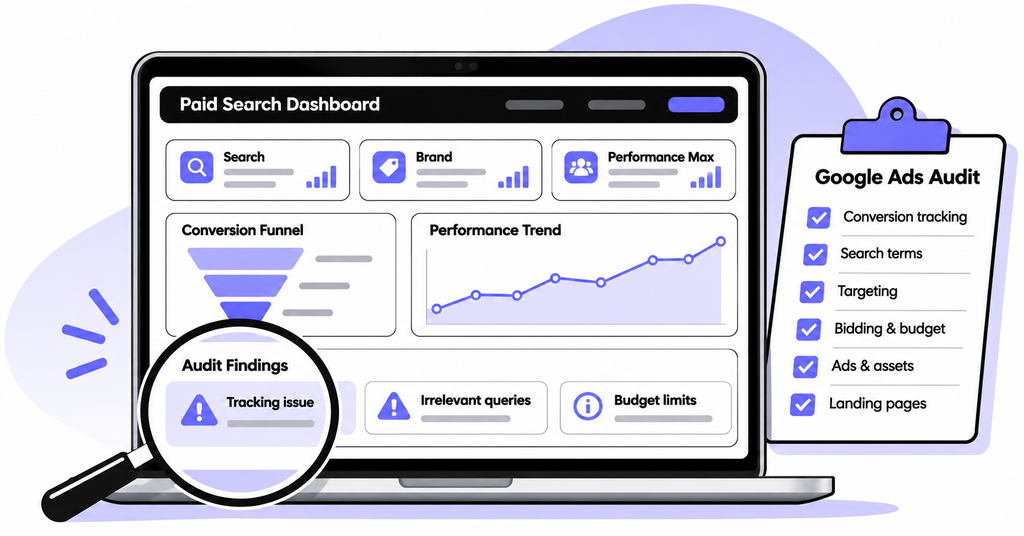
Clicks are coming in, but qualified leads are not. Before increasing your budget, find out where the money goes. This Google Ads audit checklist shows what an experienced specialist should inspect, what evidence to request, and which fixes deserve attention first.
Key Takeaways
- Verify conversion tracking and lead quality before trusting cost-per-lead or automated bidding reports.
- Review actual search terms, locations, budgets, ads, and landing pages together to identify wasted spend.
- Ask for a prioritized action plan with evidence, owners, and success metrics, not just an optimization score.
What Should a Google Ads Audit Checklist Actually Reveal?
A useful Google Ads account audit answers three questions: Are conversions measured correctly? Are you paying to reach likely customers? And are the clicks producing profitable business outcomes?
An expert needs more than a screenshot of campaign performance. They should connect Google Ads data with your website and, for lead-generation businesses, your CRM or sales records.
Use a recent 30 to 90-day window where volume allows. Compare it with a similar previous period, and account for seasonality and delayed conversions. A new campaign with five clicks needs a different diagnosis from an established account spending thousands monthly.
Record the business goal before touching settings. Is success a booked consultation, qualified inquiry, completed purchase, or closed deal? Without that definition, a Google Ads performance audit can reward the wrong outcome.
Google Ads Audit Checklist: 10 Areas to Review
1. Conversion tracking: Are the numbers trustworthy?
Start your Google Ads conversion tracking audit by testing the full journey, not just looking for a green status icon.
- Submit a test form and verify the completed submission appears in the destination inbox or CRM.
- Check that purchases, calls, and forms fire once, not on button clicks or page refreshes alone.
- Compare Google Ads conversions with website and sales-system records, allowing for attribution differences.
- Check which actions are primary, secondary, and included in each campaign’s selected goals.
- Review attribution, conversion windows, consent implementation, and enhanced-conversion diagnostics where applicable.
For many lead-generation campaigns, one accepted inquiry should count once per ad interaction, while a store may need to count every purchase. Google’s conversion-action guidance explains how primary actions influence reporting and bidding, with an exception for secondary actions included in custom goals.
Red flag: A campaign reports 40 conversions, but the team received only 12 genuine inquiries. Investigate duplicates, spam, misfiring tags, and the definition of a conversion before changing bids.
2. Lead quality: Are those conversions worth paying for?
A low cost per lead means little if nobody buys. Ask your specialist to review lead records with sales, not just conversion columns.
- Separate raw inquiries, qualified leads, booked meetings, and customers.
- Identify campaigns generating spam, students, job seekers, or out-of-area requests.
- Check whether qualified or converted leads can be sent back to Google Ads through an appropriate CRM integration.
If the business has sufficient reliable downstream data, bidding toward qualified outcomes may be more useful than optimizing only for every submitted form. Do not switch goals abruptly without reviewing signal volume and conversion delay.
3. Search terms and negative keywords: Who is actually clicking?
The Google Ads search terms report reveals many of the queries behind paid-search traffic. It is different from your keyword list and does not show every individual search.
- Sort visible queries by cost, conversions, and relevance.
- Flag informational or unrelated terms consuming budget without commercial intent.
- Review negative keyword lists for gaps and accidental exclusions.
- Compare exact, phrase, and broad-match performance in the context of bidding and goals.
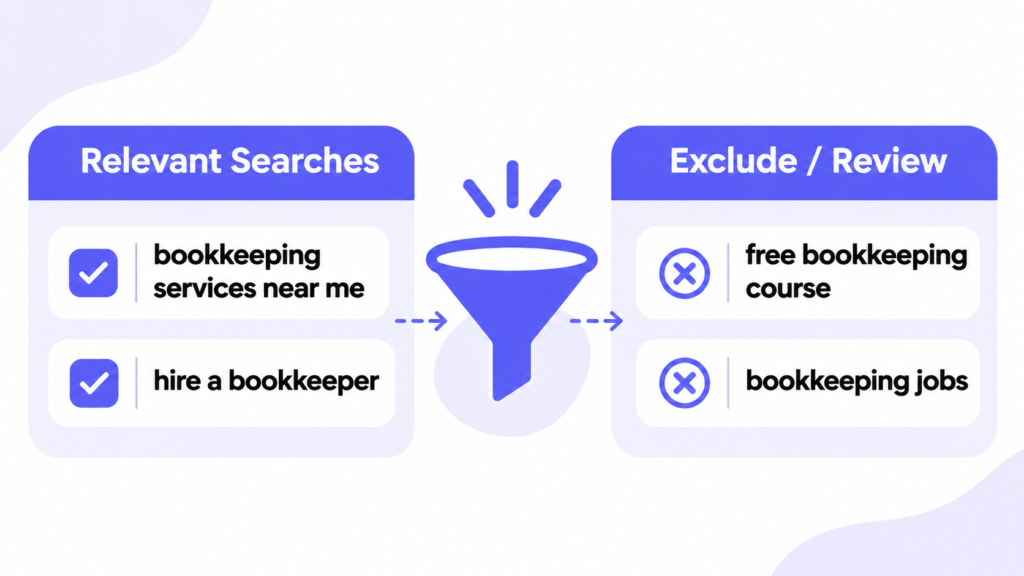
Example: A company selling paid bookkeeping services might appear for searches about free bookkeeping courses. Excluding clearly irrelevant education-related terms can prevent more waste. Do not block broad words without checking whether they also appear in valuable queries.
4. Campaign structure and targeting: Is the account focused?
A Google Ads campaign audit should show whether campaigns have a clear purpose. Separate brand searches from non-brand prospecting in the analysis so strong branded results do not hide weak acquisition performance.
- Review campaign goals, networks, search partners, and unnecessary overlap.
- Check targeted countries, regions, exclusions, languages, and actual location performance.
- Confirm whether location options include people interested in an area, not only people physically there.
- Segment results by device, audience, and schedule before making exclusions.
Location settings deserve particular attention for businesses that serve only specific areas. An out-of-state inquiry may reflect a real customer planning a visit, or a wasted click. Let the business model decide.
5. Budgets and bidding: Is spending aligned with value?
Check whether the bidding strategy fits the conversion goal and data quality. Automated bidding cannot fix misleading conversion signals.
- Compare budget allocation with qualified leads or revenue, not clicks alone.
- Review Maximize conversions, Target CPA, Maximize conversion value, or Target ROAS against the actual objective.
- Look for restrictive targets, frequent major changes, and campaigns limited by budget.
- Check impression share and lost impression share where those metrics are available and relevant.
A campaign limited by budget is not automatically underfunded. Increasing its budget only makes sense when incremental spend is likely to produce acceptable results. Ask for the expected trade-off, not a generic recommendation to spend more.
6. Ad copy and assets: Does the promise match the buyer?
Ads need to attract customers who can use the offer, not everyone who might click.
- Check responsive search ad messaging for relevance, clarity, and distinct offers.
- Review calls to action, promotional claims, location references, and asset accuracy.
- Compare ad performance by meaningful customer outcome, not click-through rate alone.
- Identify weak or missing assets, then develop specific tests.
An ad promising a free consultation should land on a page where that consultation is easy to request. High clicks followed by poor lead quality may indicate a promise that is too broad.
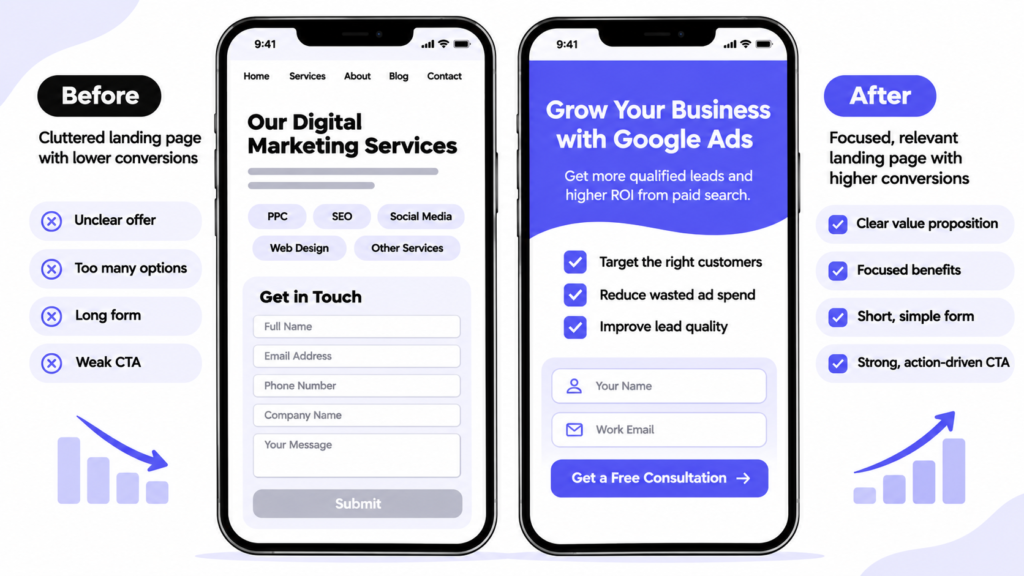
7. Landing pages: Where do interested visitors drop off?
An expert should inspect the page people actually reach from the ad, including its mobile version.
- Check that the headline repeats the offer and answers the searcher’s need.
- Test speed, mobile usability, forms, phone links, and thank-you events.
- Look for trust evidence, pricing clarity where appropriate, and one obvious next action.
- Compare landing-page conversion rates by campaign and device.
Ask someone unfamiliar with your business to complete the form on a phone. If they cannot find the offer or submit the form, an ad-copy rewrite will not solve the problem.
8. Performance Max and automation: What is less visible?
For accounts running Performance Max, inspect asset groups, audience signals, conversion goals, brand controls, listing groups if applicable, and landing-page destinations. Review the available search-terms and landing-pages reporting rather than assuming search activity is entirely opaque.
Google documents a Performance Max search terms report, including query-level insights and exclusions. It is useful, but it is not a substitute for evaluating sales quality.
If an AI-generated recommendation changes bidding, keywords, or assets, ask what business evidence supports it. Apply useful recommendations selectively, and check change history for automatic or unexpected updates.
9. Shopping and ecommerce: Are products profitable to advertise?
If you sell products, add a feed and margin review to your PPC audit checklist. Service businesses can skip this section.
- Inspect Merchant Center diagnostics, disapprovals, product titles, images, and availability.
- Review product and category performance against inventory, shipping costs, and gross margins.
- Check purchase value accuracy, returns, and whether the chosen ROAS target reflects profitability.
A high-revenue product may still be a poor paid-ad candidate if margins are thin. Ask the expert to connect product performance with contribution margin where reliable data exists.
10. Reporting and change history: Can you prove a fix worked?
Finish by checking who changed the account, when, and what happened afterward. Rising conversions may reflect a tracking change, seasonal demand, or genuine improvement.
- Review change history alongside performance shifts and promotions.
- Compare meaningful periods and account for conversion lag.
- Set a baseline for qualified-lead cost, customer acquisition cost, or margin-adjusted return.
- Record each proposed change and its review date.
Avoid editing bids, keywords, ads, and landing pages simultaneously without a testing plan. Otherwise, even a better result may not tell you which change mattered.
How to Read the Numbers Without Being Misled
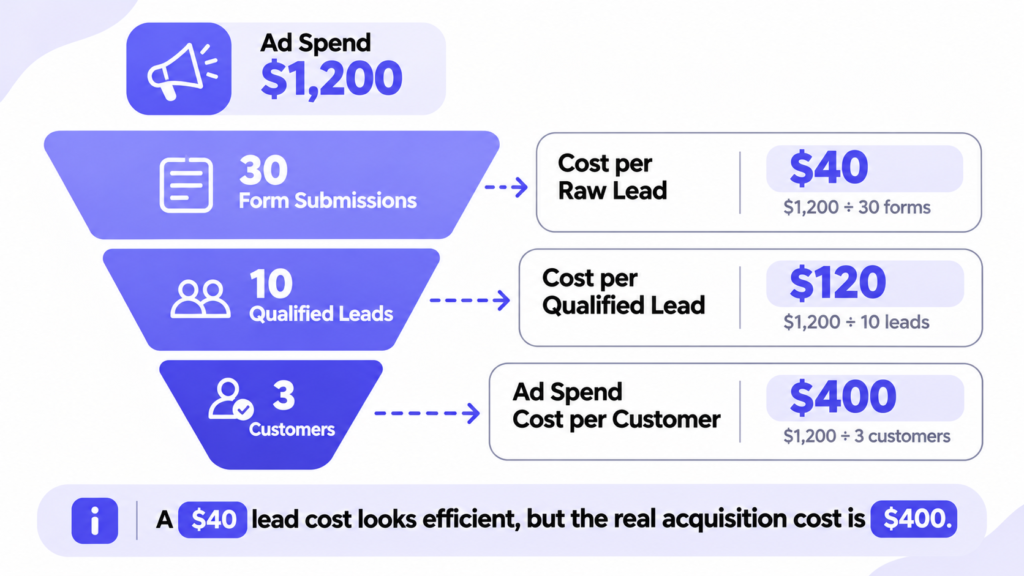
Consider a hypothetical campaign that spends $1,200 and generates 30 form submissions. Ten are qualified, and three become customers.
| Metric | Calculation | Result |
| Cost per raw lead | $1,200 / 30 | $40 |
| Cost per qualified lead | $1,200 / 10 | $120 |
| Ad-spend customer acquisition cost | $1,200 / 3 | $400 |
The advertised $40 lead cost looks efficient. The $400 ad-spend cost per customer tells you more. Compare it with customer contribution margin and remember that labor, software, and management costs sit outside this simplified calculation.
What Should an Expert Deliver After the Audit?
A valuable report should make decisions easier. Request a concise list of findings with screenshots or exports, the likely business impact, and a named next step.
| Priority | Example finding | Recommended response |
| Fix first | Duplicate primary form conversions | Correct tracking and retest |
| High | Unrelated costly search terms | Review targeted negative keywords |
| High | Strong clicks, failed mobile form | Repair form before buying more traffic |
| Test | Weak ad-to-page message match | Run a focused creative or landing-page test |
| Monitor | Short-term CPA fluctuation | Wait for enough comparable data |
Ask the auditor to state what they cannot conclude. An account with low volume may not support confident claims about a particular keyword or device. A good specialist distinguishes confirmed errors from hypotheses worth testing.
When Should You Run a Google Ads Audit?
Run a focused check weekly for broken tracking, unusual spend, disapprovals, and irrelevant queries. Review campaign performance monthly, then conduct a fuller audit quarterly or after major changes to the website, offer, tracking setup, or account ownership.
These are practical operating rhythms, not platform rules. A fast-growing account needs closer inspection; a tiny account may need longer measurement windows before decisions are reliable.
If you are learning how to audit Google Ads yourself, start with read-only access. Collect screenshots and exports, make a change log, and get agreement on which conversion really matters before changing live settings.
Frequently Asked Questions
What is included in a Google Ads audit?
A complete audit checks conversion measurement, lead quality, search terms, targeting, bidding, ad assets, landing pages, and reporting. Shopping accounts also need product-feed and margin checks.
How long does a Google Ads audit take?
A quick health check can take an hour or two. A deeper review of multiple campaign types, tracking integrations, and CRM data can take substantially longer. Scope matters more than a fixed time estimate.
Can a high Google Ads optimization score replace an audit?
No. An optimization score reflects Google’s recommendations, not whether leads are qualified, customer acquisition is profitable, or tracking is accurate.
Should I pause underperforming campaigns immediately?
Not always. First verify conversion measurement, search relevance, conversion delays, and sample size. Pause when evidence supports the decision, especially if a campaign is clearly wasting money or violating business constraints.
Turn Audit Findings Into Better Hiring Decisions
The best checklist ends with a decision: fix tracking, reduce waste, improve your landing page, or change how you manage campaigns. You do not need every setting rewritten. You need a clear order of work and someone accountable for outcomes.
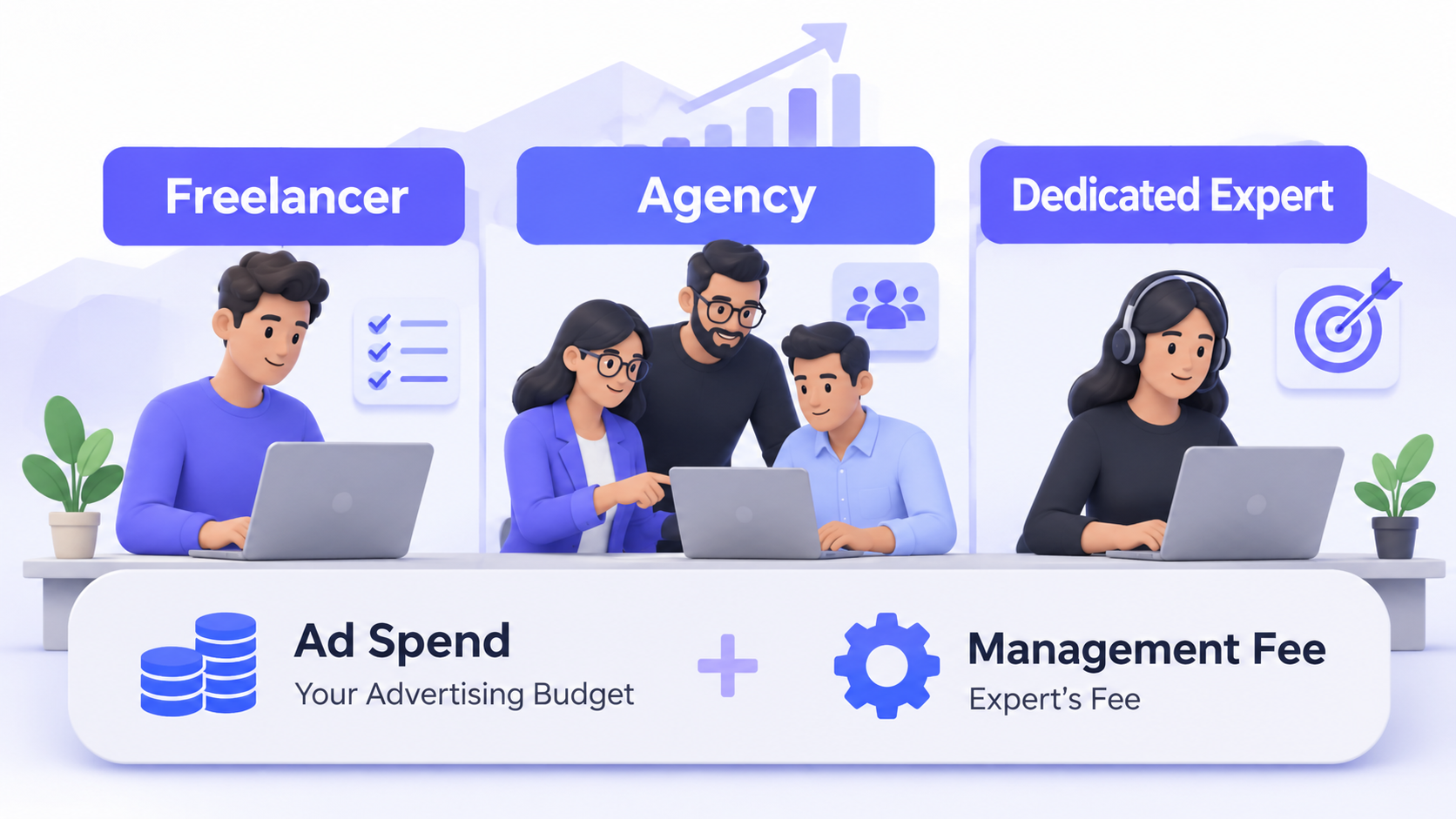
If your current setup needs ongoing ownership, hire a Google Ads expert through NextHire who can review the evidence, implement prioritized changes, and report on qualified leads rather than surface-level clicks. You can also discuss your hiring needs before deciding how much support to bring in.