


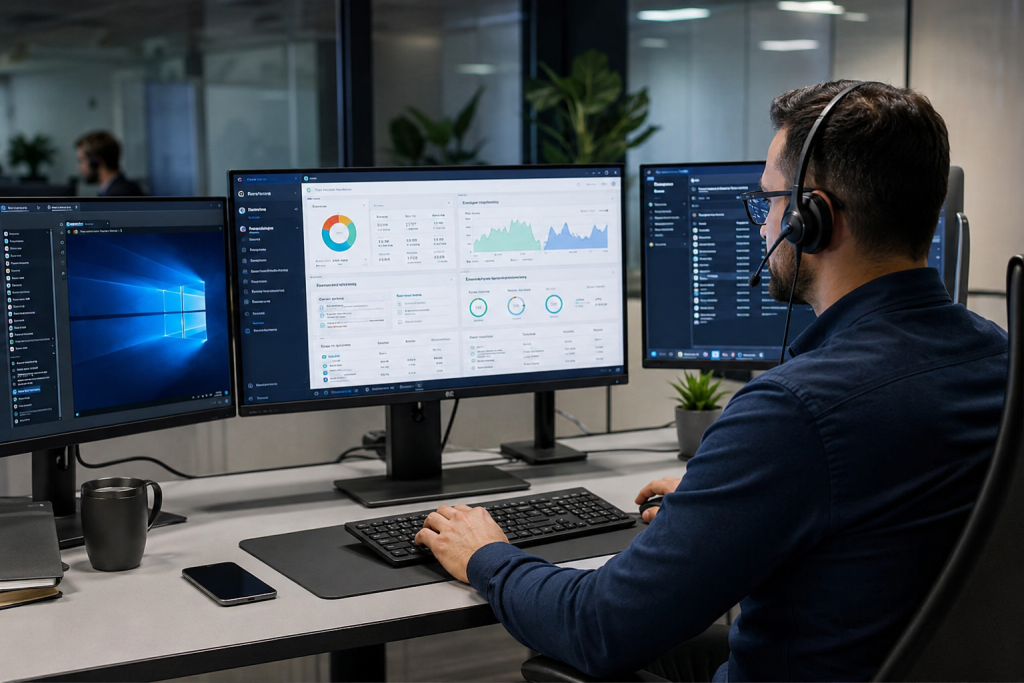
If you’re running a business today, you’ve probably dealt with the nightmare of an IT emergency. An employee can’t access their files. A server goes down. Critical software stops working. And suddenly, everyone’s scrambling.
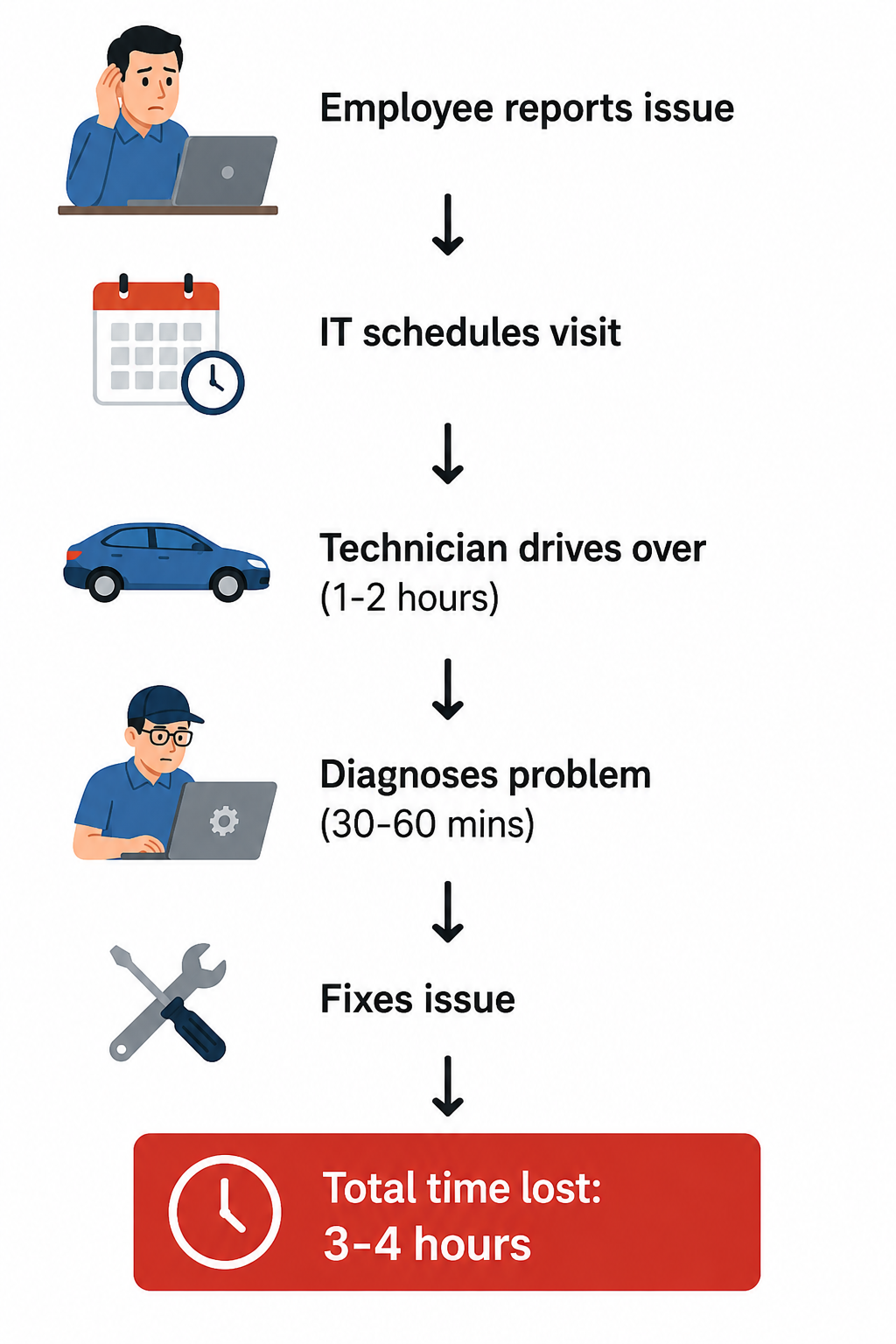
If that technician has to travel across town just to sit down and fix the problem, you’re looking at hours of lost productivity before anything gets resolved.
There’s a better way. And it’s called a remote servicing suite.
What Actually Is a Remote Servicing Suite?
A remote servicing suite is a centralized platform that lets your IT team access, monitor, and fix your systems from anywhere in the world.
Think of it like this: Imagine a control room where you can see everything happening across your entire company’s technology infrastructure. Spot problems before users know something’s wrong. Fix issues in minutes, not hours.
Here’s what the platform handles:
| Capability | What It Does |
| 🖥️ Remote Desktop Control | Take over any user’s screen and troubleshoot instantly |
| 📊 System Monitoring | Watch servers and devices 24/7 to catch issues early |
| 🔄 Automated Updates | Deploy patches across all machines without lifting a finger |
| 🚨 Instant Alerts | Get notified the moment something goes wrong |
| 📈 Reporting & Analytics | Understand your infrastructure and plan smarter |
| 🌍 Remote Worker Support | Works the same whether staff are home, office, or anywhere |
The Old Way vs. The New Way
❌ Traditional IT Support
✅ Remote Servicing Suite
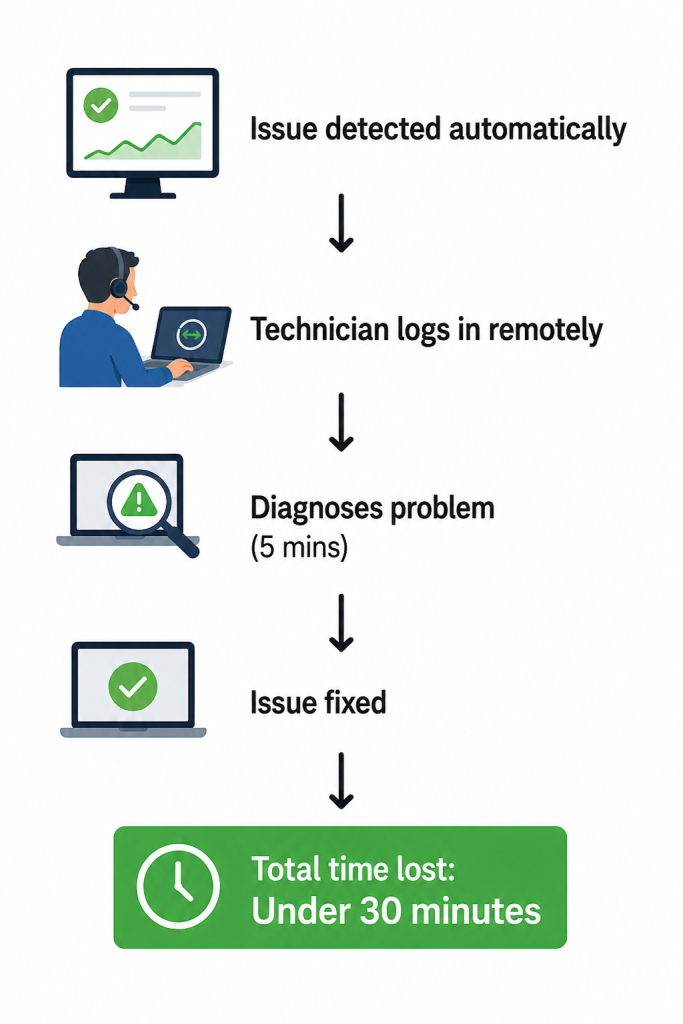
Same problem. Completely different outcome.
How It Actually Works Behind the Scenes
① Setup Phase
Software installs on all devices, creating a secure encrypted channel between your systems and the support environment.
② Continuous Monitoring
The system tracks CPU usage, network activity, security alerts, and performance metrics around the clock.
③ Problem Detection & Response
The moment an issue appears, technicians jump in remotely with full access, just like sitting right at the desk.
④ Automation Handles the Rest
Patches deploy automatically. Backups verify themselves. Maintenance runs overnight. No manual work needed.
⑤ Data & Reporting
Every event generates insights. Use real data to plan investments, fix recurring issues, and improve operations.
Types of Remote Support Services
Not all remote support is the same. Here’s what exists and what each one actually covers.
🖥️ Remote Desktop Support
Fix software problems, troubleshoot access issues, configure systems on the spot.
💻 Remote Computer Support
Broader coverage including virus removal, performance optimization, and driver updates.
⚙️ Remote Technical Support
Complex networks, servers, enterprise applications, and cloud systems.
🏗️ Remote IT Infrastructure Support
Full management of servers, cloud systems, firewalls, backups, and network optimization.
Most businesses use a combination depending on their size and needs.
Real-World Scenario: Ecommerce Company Crisis
Wednesday morning. Inventory system slows down. Checkout breaks. Revenue bleeding by the minute.
Without Remote Servicing
- Phone calls made ✗
- Someone drives to data center ✗
- Cloud provider called manually ✗
- 2-3 hours of downtime. Thousands in lost sales.
With Remote Servicing Suite
- ✅ Monitoring alerts fire immediately
- ✅ Technician logs in and sees all systems at once
- ✅ Crashed database service identified instantly
- ✅ Restarted, patched, and verified
- Back online in 45 minutes.
Why Remote Work Changed Everything
Before hybrid work, IT support was simple. Everyone was in one office. One IT team covered everything.
Then the world changed:
- 🏠 Employees working from home
- 🌆 Teams spread across multiple cities
- ☁️ Systems moved to the cloud
- 📱 Mobile devices became critical
Onsite IT support simply cannot reach a home office in Denver the same way it reaches someone in the Boston headquarters.
Remote servicing didn’t just become convenient. It became necessary.
The Hidden Power of Automation
Most people see automation as a nice-to-have. It’s actually one of the most valuable parts of modern remote servicing.
What automation replaces:
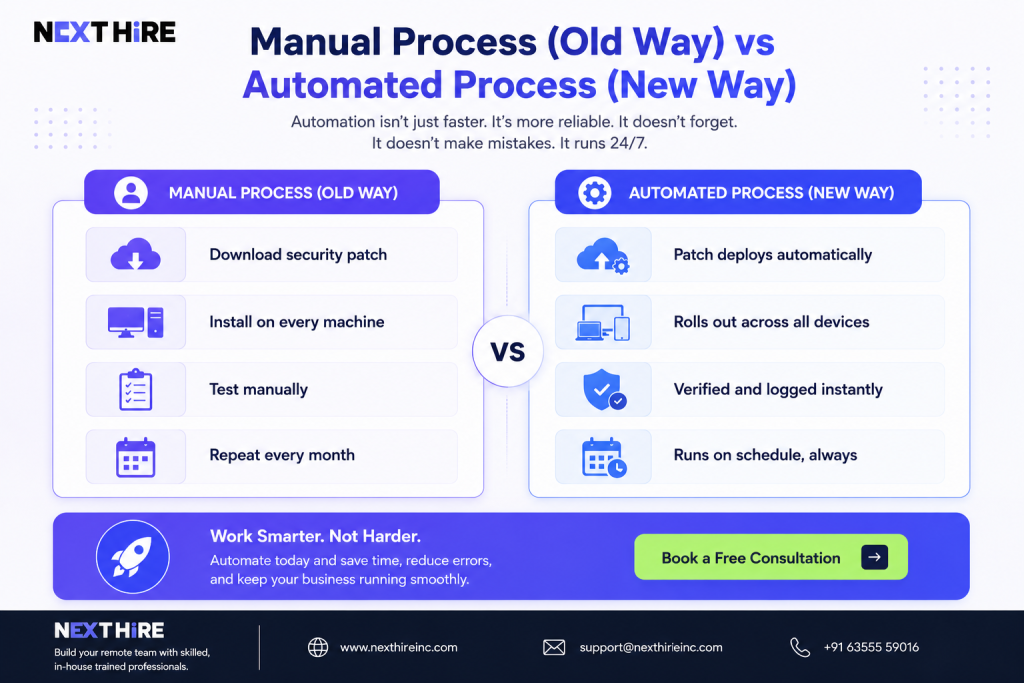
Automation isn’t just faster. It’s more reliable. It doesn’t forget. It doesn’t make mistakes. It runs 24/7.
Security: The Question Everyone Should Ask
Giving remote access to your systems is a real responsibility. Good platforms handle it through:
- 🔒 Encrypted connections — Nobody intercepts what’s happening
- 🔑 Multi-factor authentication — Wrong hands can’t get in easily
- 👤 Role-based permissions — Technicians only access what they need
- 📋 Full activity logs — See who accessed what and when
- 🛡️ VPN requirements — Extra layer of protection
The honest truth: Remote servicing can actually be more secure than traditional onsite support when set up correctly. Onsite visits are harder to monitor and log. Remote access is fully traceable.
Industries That Rely on Remote Servicing
| Industry | Primary Use Case |
| 🏥 Healthcare | Patient data security, medical device monitoring |
| 🏭 Manufacturing | Equipment monitoring, production line uptime |
| 🛒 Retail | Multi-location POS systems, inventory management |
| 🏦 Financial Services | Compliance, security, zero-downtime requirements |
| 🎓 Education | Thousands of campus devices, classroom tech support |
| 🚚 Logistics | Distributed fleet and warehouse system management |
Signs Your Business Needs to Upgrade
Check if any of these apply to you:
- Systems go down regularly and take hours to fix
- IT support response takes days, not minutes
- You have remote workers who struggle to get help
- Multiple office locations strain your IT team
- Security patches and updates fall behind
- IT costs keep rising without better service
If you checked two or more, it’s time to make a change.
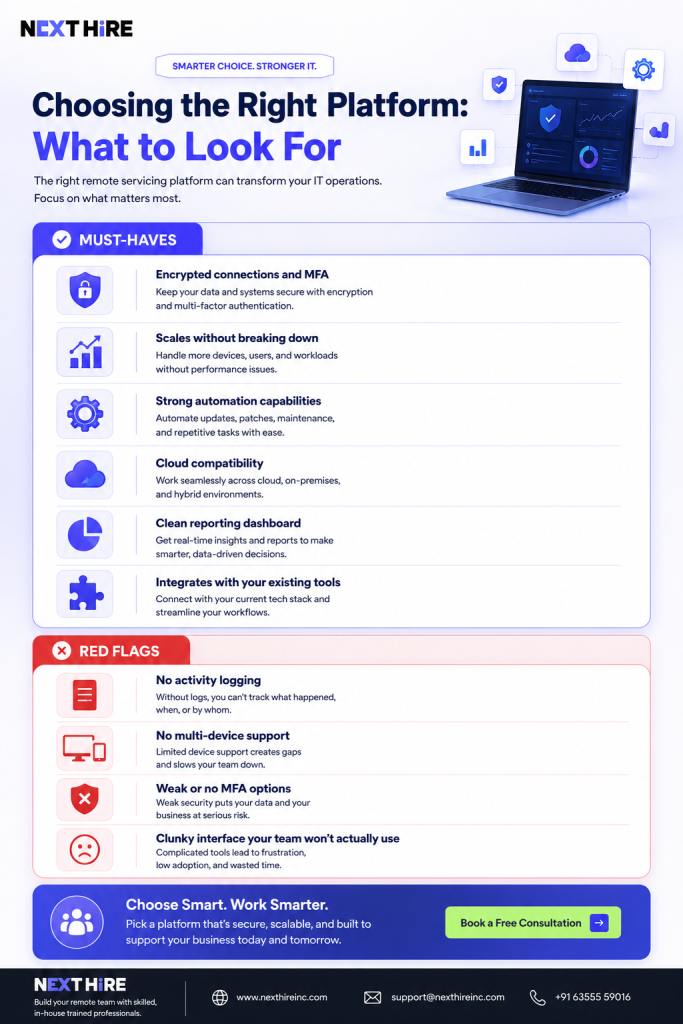
Choosing the Right Platform: What to Look For
Don’t just pick the cheapest option. These tools affect your entire business.
Must-haves:
- ✅ Encrypted connections and MFA
- ✅ Scales without breaking down
- ✅ Strong automation capabilities
- ✅ Cloud compatibility
- ✅ Clean reporting dashboard
- ✅ Integrates with your existing tools
Red flags:
- ❌ No activity logging
- ❌ No multi-device support
- ❌ Weak or no MFA options
- ❌ Clunky interface your team won’t actually use
What’s Coming Next
Remote servicing platforms are evolving fast. Here’s where things are heading:
🤖 AI-Assisted Diagnostics
AI suggests what’s wrong and recommends fixes before a technician manually investigates.
🔮 Predictive Maintenance
Systems identify failure patterns and address them before anything actually breaks.
🌐 IoT Infrastructure Management
As businesses deploy more connected devices, remote management of that infrastructure becomes essential.
☁️ Deeper Cloud Integration
Tighter connection between remote servicing platforms and cloud providers for seamless management.
The trend is clear: smarter, more automated, more central to how businesses operate.
The Bottom Line
A remote servicing suite is no longer optional for businesses operating in today’s environment.
It’s the difference between reacting to problems and preventing them. Between hours of downtime and minutes. Between frustrated employees and a team that can always get help.
For businesses managing distributed operations or remote teams, this isn’t an expense. It’s a competitive advantage.
Frequently Asked Questions
What is a remote servicing suite?
A platform that lets businesses monitor, manage, and maintain their technology systems remotely. Technicians fix problems, deploy updates, and monitor system health without being physically present.
What are remote IT support services?
Services that let technicians help with technology problems without visiting your location. Faster and cheaper than waiting for someone to physically show up.
How do remote desktop support services work?
A technician securely connects through the internet, sees and controls your screen, diagnoses problems, and makes fixes. Everything is encrypted and logged.
Why do businesses outsource remote IT support?
Access to skilled technicians and 24/7 coverage without building a large internal department. More cost-effective and scales easily as you grow.
Are remote support services secure?
Yes, when implemented properly. Modern platforms use encrypted connections, multi-factor authentication, role-based access, and full activity logging.
What industries use remote servicing suites?
Practically all of them. Healthcare, manufacturing, retail, finance, education, logistics, and most others rely on remote servicing to manage distributed operations and ensure uptime.



