

Ask five agencies what Shopify speed optimization costs and you’ll get five different numbers, anywhere from $30 on Fiverr to $5,000 for a full agency engagement. The gap isn’t random.
It comes down to what’s actually being audited, fixed, and guaranteed for that price. Here’s what the market really charges, what drives it up or down, and how to avoid paying for work that won’t hold.
Key Takeaways
- Budget $200–$600 for a scoped fix on a simple store, $1,200–$3,000+ for a full audit-and-implementation project, and $2,000–$5,000+ for agency-level work on a complex or Shopify Plus store.
- A legitimate quote separates audit cost from implementation cost. A provider that skips the audit and jumps straight to a number is pricing a shortcut, not a fix.
- Because apps and theme updates keep undoing the work, ongoing help — a retainer or a dedicated developer — usually costs less over a year than repeating a one-time project every few months.
Speed optimization can be a one-time technical project, but recurring performance issues often point to a broader development need. If your store regularly requires theme changes, app cleanup, custom code, integrations, or ongoing performance work, it may make more sense to hire Shopify developers who can manage those issues as part of the wider storefront development process.
What Shopify Speed Optimization Actually Includes
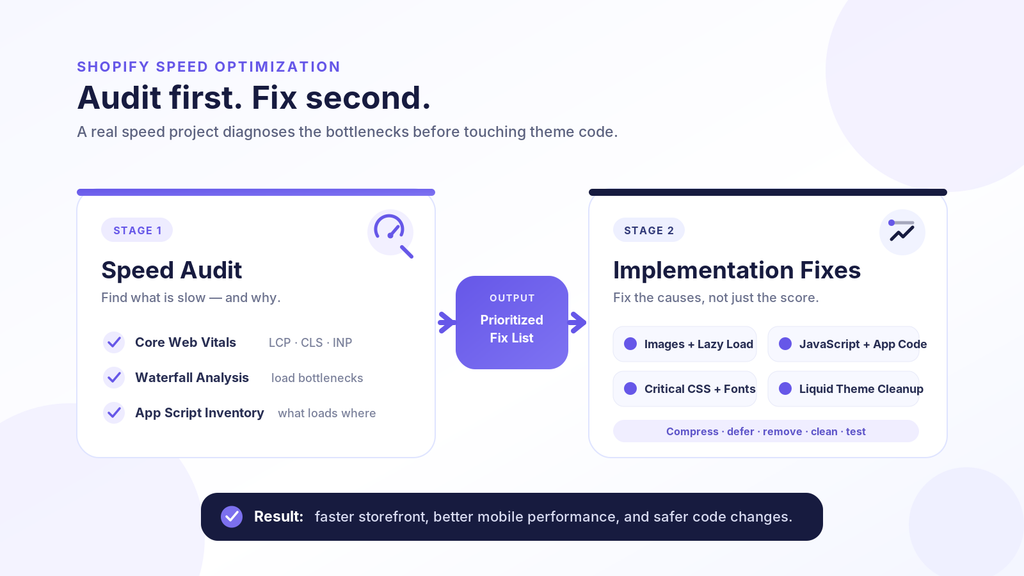
A real speed project has two separate stages: an audit, then the fixes. Quotes that skip straight to a number without mentioning an audit are usually pricing a shortcut.
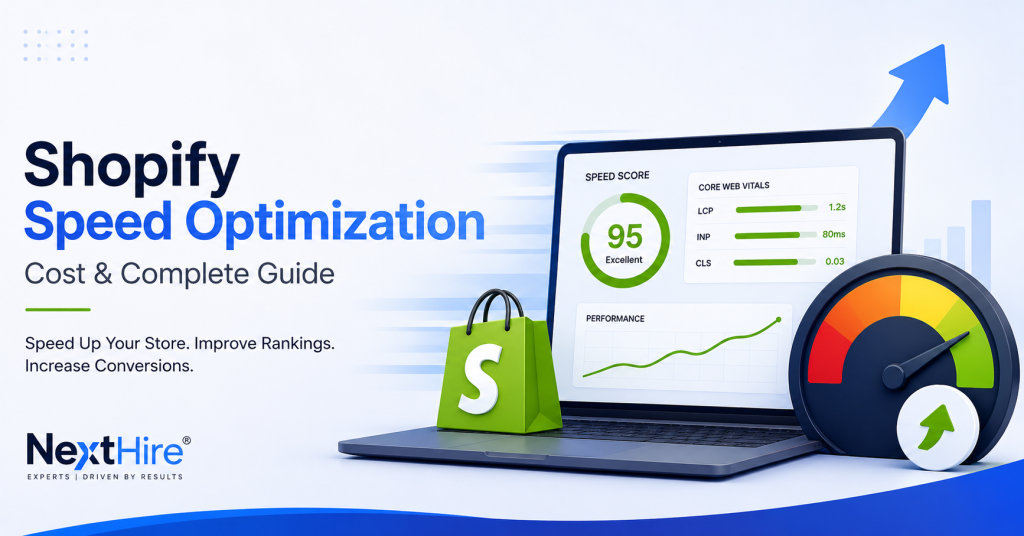
The audit benchmarks your Core Web Vitals — LCP, CLS, and INP — runs a waterfall analysis, and inventories every app script loading on your storefront. It tells you what’s slow and why, before anyone touches your code.
The fix stage is where the money goes. Common line items: image compression and WebP conversion, lazy loading, deferring render-blocking JavaScript, removing dead app code, critical CSS, font loading, and Liquid template cleanup.
On a bloated theme running twenty apps, that list gets long. On a clean, simple store, most of it is quick work.
What Shopify Speed Optimization Costs in 2026
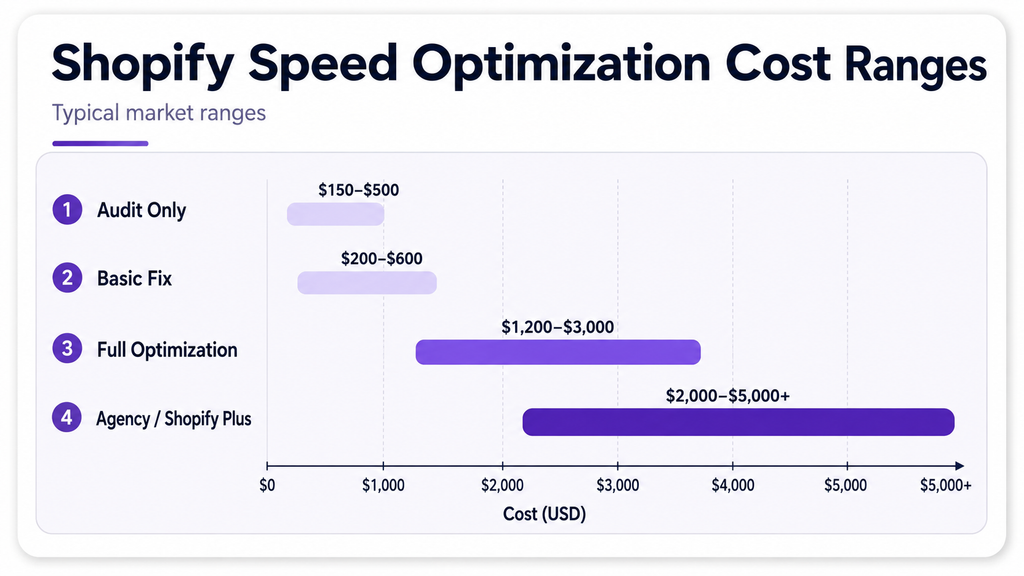
Pricing spans a wide range because store complexity varies so much. Here’s roughly what the market charges, gathered across agencies, freelancers, and app subscriptions:
| Scope | Typical Cost | What You Get |
| Speed audit only | $150 – $500 | Report and prioritized fix list, no implementation |
| Basic fix, small store | $200 – $600 | Image compression, app cleanup, basic script deferral |
| Full optimization | $1,200 – $3,000 | Theme code cleanup, script deferral, critical CSS, image strategy |
| Agency / Shopify Plus | $2,000 – $5,000+ | Comprehensive audit, custom code work, ongoing monitoring |
| Speed app subscription | $15 – $50/month | Automated script deferral and lazy loading, no theme changes |
These are market ranges, not a quote for your store. A four-page store running two apps costs a fraction of what a 5,000-SKU catalog running fifteen apps will.
On Fiverr, gigs start at $5 to $30. At that price, you’re usually paying someone to install a free app and call it done. Vetted freelancers with a real track record run $80–$250 for a genuine one-time fix, and Shopify Experts or small agencies run $500–$2,000 for full theme-level work.
What Pushes the Price Up (or Down)
A few factors drive most of the variation in quotes:
- Number of installed apps — every app injects scripts that load on every page, even unused ones
- Theme customization — heavily modified themes take longer to audit and safely fix
- Catalog size — thousands of unoptimized product images add real hours to the project
- Whether the scope includes Liquid template work — image and script fixes are relatively cheap, but editing Liquid without breaking checkout is developer-level work
- Mobile-only versus full audit — a mobile-only pass is cheaper but tells you less, and mobile is where most Shopify traffic lives
What keeps costs down: a clean base theme, a small app stack (five or fewer customer-facing apps), and images that were reasonably sized before the project started. If your store already does the basics, you’re paying for polish, not a rescue.
What You Can Fix Yourself First
Before you pay anyone, a few fixes are free and don’t require touching code:
- Compress and resize product images before uploading, or run existing ones through a free tool like TinyPNG or Squoosh
- Remove apps you installed once and forgot about — each one adds a script that loads on every page, whether it’s used or not
- Check your app count. More than five customer-facing apps is usually where speed starts to suffer
- Switch out an animated GIF hero for a short muted video or a static image
These moves alone can lift a PageSpeed score by 10–20 points on a neglected store. They won’t fix a badly coded theme or deferred JavaScript, but they’re worth doing before you pay for an audit that just tells you the same thing.
Freelancer, Agency, App, or a Dedicated Developer?
The right format depends on how often your store changes, not just your budget.
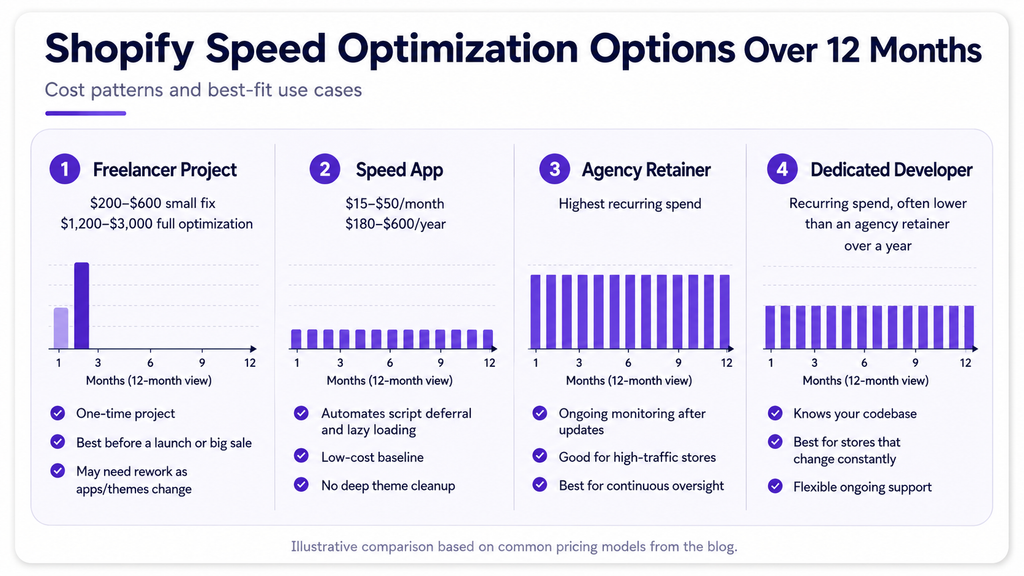
One-time freelancer or agency project. Best before a launch or a big sale. You get a defined scope and a report, but gains typically erode within three to six months as you install new apps and update your theme.
Speed optimization app ($15–$50/month). Automates the highest-impact fixes — script deferral, lazy loading, font optimization — without touching theme code. A solid baseline, but it won’t fix a genuinely bloated Liquid template underneath it.
Agency retainer. Buys ongoing monitoring after every app install and theme update. Makes sense for high-traffic or Shopify Plus stores where a dropped score costs real revenue every single day.
A dedicated remote developer. For stores that change constantly — new collections, seasonal theme edits, app testing, custom sections, integrations, and recurring technical fixes — ongoing developer capacity can be more practical than reopening a one-time speed project whenever performance drops.
If you are not sure whether recurring Shopify work has reached that point, use our guide on when to hire a Shopify developer to identify the signs that ongoing technical support makes sense.
Red Flags That Cost You More Later
Watch for these when you’re comparing quotes:
- “Guaranteed 90+ score” before anyone’s looked at your store. No one can promise a specific number sight unseen.
- No audit, no explanation. If a provider can’t show you what’s slowing you down, they may just be installing an app and marking it up.
- Under $100 for a “full optimization.” Compressing a few images takes minutes. Auditing app scripts and Liquid templates takes hours.
- No theme backup before changes. Any competent developer backs up your theme first. Skipping this risks breaking your live store.
- Desktop-only scores in the report. Most Shopify traffic is mobile. A desktop-only score hides the number that actually affects sales.
None of these disqualify a provider on their own. Together, they’re a pattern worth asking about before you pay anyone.
Is It Worth Paying For?
A one-second delay in page load time can cut conversions by roughly 7%, a figure widely cited across ecommerce research. For a store doing $30,000 a month, that’s over $2,000 in monthly revenue tied to load time alone.
Stores loading under two seconds convert meaningfully better than stores loading over five. If your PageSpeed mobile score sits below 50, you’re very likely losing sales to speed before a customer ever sees your product page.
That math supports paying for a real audit instead of guessing. It doesn’t support overpaying an agency $5,000 when a $250 freelancer project plus a $20/month app would get you most of the way there.
Here’s the calculation in practice. A store doing $40,000 a month with a mobile PageSpeed score of 32 pays a Shopify Expert $1,500 for a full optimization, landing at a score of 58.
If that 26-point jump shaves even half a second off load time, the 7%-per-second math suggests a low-single-digit percentage lift in conversions — often enough to recover the project cost within the first month, with the rest as ongoing upside.
How Long It Actually Takes
Timeline scales with the same factors that drive cost. A basic optimization — images, app cleanup, script deferral on a simple theme — typically runs one to two weeks from kickoff to delivered report.
A full project involving Liquid template work and custom theme cleanup usually takes three to four weeks, factoring in testing rounds after changes go live. Rushed timelines are a warning sign on their own: deferring scripts without breaking checkout takes careful testing, not a same-day turnaround.
Lab scores (PageSpeed Insights) improve immediately after the work ships. Real-world Core Web Vitals data in Google Search Console takes two to four weeks to catch up, since it’s a rolling average of actual visitor traffic. Don’t judge the project a failure because Search Console hasn’t moved yet — give it a month.
Getting a Fair Quote
Before you hire anyone for Shopify speed optimization, ask for:
- A breakdown that separates audit cost from implementation cost
- Your current PageSpeed and Core Web Vitals scores, with a specific target
- A list of exactly what will change — not just “we’ll speed it up”
- A theme backup before any code changes go live
- A before-and-after report once the work is finished
If a provider can’t answer these plainly, that’s your answer about whether to hire them.
Shopify speed optimization cost tells you what a single performance project may require. The bigger question is whether speed is an isolated problem or part of a recurring technical backlog involving theme changes, app conflicts, integrations, custom functionality, and ongoing storefront maintenance.
If your store needs consistent technical support rather than another one-time fix, you can hire Shopify developers through NextHire for speed optimization, theme development, custom functionality, app integrations, maintenance, and ongoing Shopify development.