

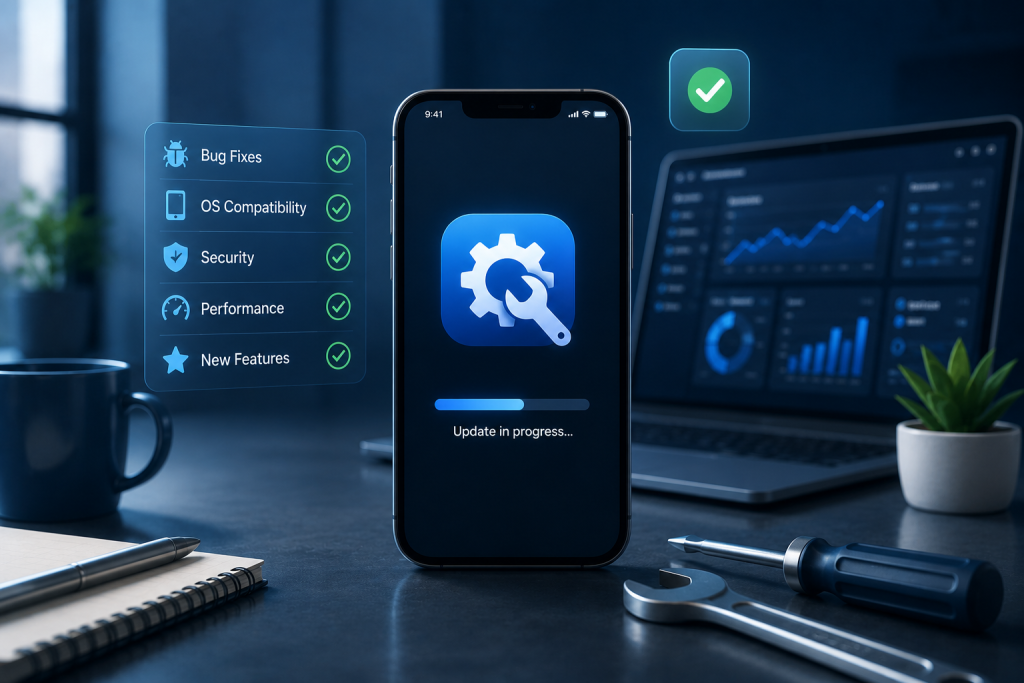
| Area | Why It Matters |
| Bug Fixes and Crash Resolution | Unresolved crashes directly cause user drop-off and negative reviews |
| OS and Device Compatibility | iOS and Android updates regularly break apps that are not actively maintained |
| Security Patches | Vulnerabilities discovered post-launch need fast responses, not scheduled quarterly reviews |
| Performance Monitoring | Slow load times and memory issues get worse over time without active attention |
| Feature Updates | User expectations evolve and apps that stop improving lose ground to competitors |
| Third-Party Integration Maintenance | APIs and SDKs your app depends on change without notice and break things downstream |
Introduction
Most of the conversation around mobile apps focuses on building them. The timeline, the cost, the tech stack, the design. Launch day gets treated like the finish line.
It is not. In a lot of ways, it is the starting point for a different kind of work entirely.
Once an app is live, it exists in a moving environment. Operating systems release updates. Devices change. User behavior shifts. Third-party services that your app relies on deprecate endpoints or change authentication requirements. Security vulnerabilities get discovered in dependencies you did not even know you were using. And users, being users, find edge cases and workflows that nobody tested.
Without ongoing mobile app maintenance services, all of this accumulates quietly in the background until something breaks visibly. And by that point, the damage to user trust and app store ratings has already happened.
This guide covers what mobile application maintenance services actually include, what the work looks like in practice, what it costs and why, and how to decide between maintaining an in-house team and working with a dedicated mobile app maintenance company.
What Are Mobile App Maintenance Services?
Mobile app maintenance services are the ongoing technical work required to keep a live app functioning correctly, securely, and in line with user expectations after launch.
It is worth being specific about what that means because the term gets used loosely. Maintenance is not just fixing things when they break. It covers a broader set of activities:
- Monitoring the app for crashes, errors, and performance degradation
- Applying security patches when vulnerabilities are discovered in the app or its dependencies
- Updating the app to remain compatible with new OS versions and device types
- Fixing bugs reported by users or detected through monitoring tools
- Managing third-party integrations when external APIs or SDKs change
- Releasing incremental feature improvements based on user feedback and analytics
- Keeping backend infrastructure and databases healthy and appropriately scaled
The distinction between maintenance and new development is not always clean. Sometimes a user-reported bug turns into a design problem that requires rethinking a flow. Sometimes a compatibility fix requires rebuilding a component. In practice, good app maintenance services involve people who can handle the full range of post-launch technical work, not just the straightforward parts.
Types of Mobile App Maintenance
| Type | What It Covers |
| Corrective Maintenance | Fixing bugs, crashes, and functional errors reported by users or monitoring systems |
| Adaptive Maintenance | Updating the app to work correctly with new OS versions, devices, and third-party changes |
| Perfective Maintenance | Performance improvements, UI refinements, and feature enhancements based on user feedback |
| Preventive Maintenance | Proactive code refactoring, security audits, and technical debt reduction before problems occur |
Most active apps need all four types at different times. A newly launched app will lean heavily on corrective and adaptive maintenance. A more mature app needs increasing investment in perfective and preventive work to stay competitive and avoid accumulating technical debt.
Why App Maintenance Matters After Launch
There is a common assumption that a well-built app should just run once it is live. The logic is understandable. If it was built properly, what is there to maintain?
The answer is that the environment the app runs in does not stay still.
Apple and Google both release major OS updates annually and minor updates throughout the year. Each update can break things that were working perfectly before. UI behaviors change. API availability changes. Permission models change. An app that worked flawlessly on iOS 16 may have issues on iOS 18 that only appear in specific scenarios.
The device landscape is similarly moving. Screen sizes, processor capabilities, and hardware features change with each new device generation. An app optimized for current hardware today will run on older devices that users have not upgraded from and on newer devices not yet available at the time of testing.
Beyond platform changes, user expectations evolve. An app that felt modern and fast two years ago can feel dated now simply because the baseline of what users experience in other apps has shifted. That is not a failure of the original build. It is just the reality of a competitive app market.
And then there are the security considerations. The mobile app security testing checklist covers pre-launch testing in detail, but security does not stop at launch. New vulnerabilities are discovered in third-party libraries regularly. Dependencies that were safe when you shipped may have disclosed CVEs months later. Without ongoing maintenance, those vulnerabilities stay open.
For context on what the broader mobile landscape looks like right now, the top trends in mobile applications guide covers where user expectations and platform capabilities are heading.
What Is Included in Mobile Application Maintenance Services?
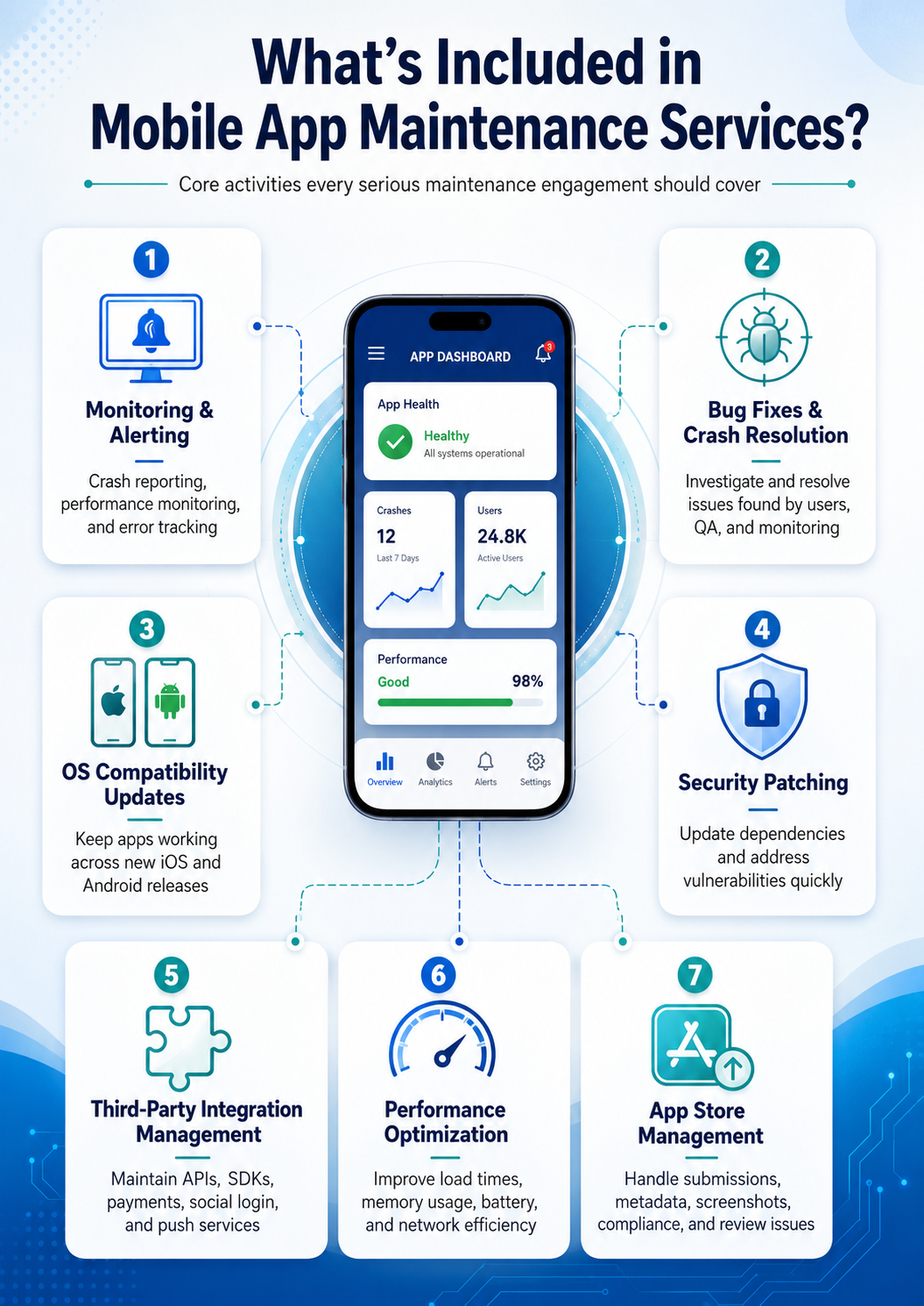
The scope of mobile application maintenance services varies depending on the provider and the app, but there is a core set of activities that any serious maintenance engagement should cover.
Monitoring and Alerting
Crash reporting, performance monitoring, and error tracking running continuously in production. Tools like Firebase Crashlytics, Sentry, and Datadog give visibility into what is breaking, where, and for which users. Without this layer, maintenance is reactive in the worst way: you find out about problems from user reviews and support tickets rather than from data.
Bug Fixes and Crash Resolution
Investigating and resolving bugs identified through monitoring, user reports, or QA. This sounds simple, but production bugs are often harder to reproduce than development bugs because they happen in specific environments, on specific devices, after specific sequences of user actions that no one tested.
OS Compatibility Updates
Testing the app against iOS and Android beta releases before public launch and making whatever changes are needed to maintain compatibility. This is time-sensitive work. If your app breaks on the day a major OS update releases, the damage to ratings and user trust happens quickly.
Security Patching
Reviewing and updating dependencies when vulnerabilities are disclosed, applying security patches, and addressing any security issues identified through ongoing monitoring or external audits. For apps handling personal data or payments, this is not optional maintenance. It is a regulatory requirement in most jurisdictions.
Third-Party Integration Management
APIs and SDKs that your app depends on change. Payment providers update their SDKs. Social login providers change authentication flows. Analytics platforms deprecate endpoints. Push notification services update their APIs. Managing these changes before they break the user experience is a meaningful part of ongoing maintenance work.
Performance Optimization
Monitoring app performance metrics over time and addressing degradation. Load times, memory usage, battery consumption, and network efficiency all need ongoing attention, particularly as the app scales and as new features add complexity. The mobile app performance optimization guide covers the specific areas where performance tends to degrade over time.
App Store Management
Managing the technical side of app store presence: submitting updates, responding to review rejections, keeping metadata and screenshots current, and monitoring store performance metrics. App store policies also change, and non-compliance can result in app removal.
Mobile Application Maintenance and Support Tasks
To make this concrete, here is what a typical month of mobile application maintenance and support actually involves for a moderately active app.
| Task Category | Specific Activities |
| Crash and Error Monitoring | Daily review of crash reports, error rates, and ANR (App Not Responding) events |
| Bug Triage | Prioritizing user-reported and monitored bugs by severity and user impact |
| OS Update Testing | Testing on new iOS/Android releases and patching compatibility issues |
| Dependency Updates | Reviewing and updating third-party libraries, SDKs, and backend dependencies |
| Performance Review | Analyzing load time trends, memory usage, and API response times |
| Security Review | Checking dependency vulnerability disclosures and applying patches |
| Backend Health | Monitoring server performance, database health, and API error rates |
| Feature Iteration | Implementing small improvements based on analytics and user feedback |
| App Store Compliance | Reviewing policy changes and ensuring continued compliance |
| Documentation Updates | Keeping internal technical documentation current with changes made |
The volume and urgency of each category varies month to month. A month when Apple releases a major iOS update looks very different from a quiet month with no platform changes and low bug volume.
Bug Fixes, Performance Updates, and Security Patches
These three categories are the core of mobile app maintenance and support work, and each one deserves some detail because they are not as straightforward as they sound.
Bug Fixes in Production
Production bugs are different from pre-launch bugs in a few important ways. They happen on devices and OS versions you did not test. They often involve data states that only exist in production. They sometimes only reproduce under specific network conditions or after specific sequences of user actions that are hard to replicate in a development environment.
Good maintenance teams do not just fix the immediate symptom. They investigate why the bug exists, whether the same root cause might affect other parts of the app, and how to prevent similar issues in the future. A patch that fixes the crash but does not address the underlying logic problem will likely produce a different crash later.
Performance Updates
Performance tends to degrade gradually rather than failing dramatically. Load times creep up as data grows. Memory usage increases as new features add complexity. API response times slow as backend load increases. These are easy to miss without monitoring because no single change causes an obvious problem.
The practical response is to track performance metrics continuously, set thresholds that trigger investigation, and address degradation incrementally rather than letting it accumulate into a full-scale performance crisis that requires a major overhaul.
Security Patches
Security patching in a live app involves more complexity than it might initially seem. Updating a library that has a disclosed vulnerability also means testing that the update does not break anything the app depends on. Some library updates include breaking changes. Some security patches require changes to how data is handled, not just to the library version.
For apps handling sensitive data, the guide on mobile app API security covers the security layer in depth. Maintenance teams need to understand both the code-level patching and the API-level security posture to keep the full stack protected.
App Updates and Feature Enhancements After Launch
Maintenance and feature development are not completely separate activities. In practice, they exist on a spectrum.
A pure maintenance engagement handles bugs, compatibility, security, and performance without adding new functionality. But most live apps also need ongoing feature iteration to remain competitive and to respond to what users are actually doing in the app versus what was designed.
The practical approach is to separate the two tracks while keeping the same team accountable for both:
| Track | Focus | Cadence |
| Maintenance Track | Bugs, security, compatibility, performance | Continuous, with urgent items handled as they arise |
| Enhancement Track | New features, UX improvements, major refactors | Planned release cycles, typically monthly or quarterly |
Running both tracks with the same team means the people making enhancements understand the maintenance constraints and technical debt accumulated since launch. Teams that hand off maintenance to a separate group while a different team adds features almost always run into integration problems and conflicting changes.
Feature enhancements after launch should be driven by data, not assumptions. What flows are users completing? Where are they dropping off? What are they requesting in reviews and support channels? Analytics and user feedback are the inputs that should shape the enhancement roadmap, not the original product spec.
For teams that launched with an MVP and are now deciding what to build next, the MVP app development services guide discusses how post-launch learning should shape the next development phase.
Mobile App Maintenance Costs: What Affects Pricing?
Mobile app maintenance costs vary considerably depending on the app’s complexity, the platform coverage required, and the engagement model. A simple single-platform app with a small backend costs very differently to maintain than a complex multi-platform app with real-time features, multiple third-party integrations, and a high user volume.
Factors That Drive Maintenance Cost
| Factor | Lower Cost | Higher Cost |
| Platform | Single platform (iOS or Android) | Both platforms plus web |
| App Complexity | Simple CRUD app with basic backend | Complex real-time features, multiple integrations |
| User Volume | Small user base, low traffic | Large user base, high API load |
| Tech Stack | Standard stack with good library support | Custom or legacy components, unusual dependencies |
| Regulatory Requirements | No compliance requirements | HIPAA, PCI DSS, GDPR obligations |
| Update Frequency | Quarterly releases | Continuous deployment with frequent releases |
| Support Response Time | Standard business hours | 24/7 coverage with SLA commitments |
Typical Maintenance Cost Ranges
These figures are approximate and vary significantly based on geography, team structure, and scope. They are meant to give a general sense of scale rather than precise budgeting numbers.
| App Type | Estimated Monthly Maintenance Cost |
| Simple single-platform app | $500 to $2,000 per month |
| Mid-complexity app (both platforms) | $2,000 to $5,000 per month |
| Complex app with multiple integrations | $5,000 to $15,000 per month |
| Enterprise app with compliance requirements | $15,000 or more per month |
The cost of mobile app development guide covers the initial build cost breakdown in detail. As a rough rule of thumb, annual maintenance typically runs somewhere between 15% and 25% of the original development cost, though this varies considerably based on how actively the app is being developed versus simply sustained.
What Affects Cost Within an Engagement
Response time commitments significantly affect price. An engagement that guarantees critical bug fixes within four business hours costs more than one where the team works through a standard prioritization queue.
Team composition matters too. Some maintenance work requires senior engineers who understand the full system. Some can be handled by mid-level developers following established patterns. Matching the skill level to the task is one of the ways maintenance cost gets managed without sacrificing quality.
Mobile App Maintenance Company vs In-House Team
This is a genuinely situational decision and the right answer depends on factors specific to each business. Both approaches have real trade-offs.
In-House Maintenance Team
| Advantage | Consideration |
| Deep familiarity with the codebase over time | Higher fixed cost regardless of workload volume |
| Direct communication and faster context sharing | Requires ongoing hiring, onboarding, and retention |
| Full control over priorities and processes | Team availability gaps during vacations and departures |
| Easier to combine maintenance with new development | Knowledge concentration risk if key people leave |
An in-house team works well when the app is central to the business, the maintenance workload is consistent and significant, and the company has the hiring and management capacity to build and retain a technical team.
Mobile App Maintenance Company or Outsourced Team
| Advantage | Consideration |
| Lower cost, especially for variable workloads | Requires a clear handover and documentation process |
| Access to specialists across platforms and technologies | Communication overhead compared to a co-located team |
| Scales up or down based on actual needs | Less familiarity with business context initially |
| No hiring or retention burden | Quality depends heavily on the provider |
An outsourced or hybrid approach works well when maintenance workload is variable, when the internal team is focused on new product development, or when the business needs specialized skills across multiple platforms without building full-time capacity for each.
The right structure for many teams, particularly startups and mid-sized businesses, is a combination: a small internal technical lead who understands the product and owns priorities, supported by an external team that handles the volume of maintenance work. This keeps costs manageable while ensuring someone close to the business always has context.
Signs Your App Needs Maintenance Support
Some of these are obvious. Some are easy to dismiss as minor until they compound.
App store ratings are declining. User reviews that mention crashes, slowness, or things that used to work now being broken are a direct signal that maintenance is falling behind.
Crash rates are increasing over time. A healthy app typically sees crash rates stay stable or improve over time. Increasing crash rates without a corresponding increase in user volume usually mean something in the environment has changed and the app has not kept up.
Users are reporting issues that cannot be reproduced in development. When bugs only happen in production, that usually means something in the production environment, specific device configurations, or specific data states is not being accounted for. This requires active investigation, not just a “cannot reproduce” response.
The app has not been updated in six months or more. This is a red flag for users and for app store algorithms. It also means OS compatibility issues are accumulating unaddressed.
Third-party integrations are behaving unexpectedly. Payment flows failing intermittently, social login breaking for some users, push notifications not delivering reliably. These usually trace back to upstream API changes that have not been addressed.
Load times have increased noticeably. If the app felt fast at launch and now feels sluggish, something has changed. It might be data volume, backend scaling, inefficient queries that only show up at scale, or added feature complexity. None of these fix themselves.
The development team is spending more time on bugs than on new features. When technical debt and accumulated bugs consume a disproportionate share of development time, it is usually a sign that maintenance has been underprioritized and is now extracting compound interest.
How Next Hire Inc Helps With Mobile App Maintenance Services
Mobile app maintenance requires a range of technical skills, and the mix you need changes over time. Early post-launch maintenance is often heavy on bug fixing and compatibility updates. A year in, it shifts toward performance, security, and feature iteration. Two years in, you may be looking at significant refactoring and architectural improvements.
Next Hire Inc connects businesses with pre-vetted specialists across every discipline that mobile application maintenance involves.
| Role | What They Handle |
| iOS developers | iOS compatibility updates, Keychain management, Swift and Objective-C maintenance |
| Android developers | Android OS updates, Kotlin refactoring, Play Store compliance |
| Flutter developers | Cross-platform maintenance, widget updates, performance optimization |
| Backend developers | API maintenance, database optimization, server-side bug fixes |
| Security test engineers | Post-launch security audits, vulnerability assessment, patch verification |
| Performance testers | Load testing, profiling, performance regression identification |
| Automation testers | Regression test suites, CI/CD pipeline maintenance, coverage expansion |
| Cloud and server administrators | Infrastructure monitoring, scaling, uptime management |
| System maintenance experts | Dependency updates, technical debt reduction, codebase health |
You can hire iOS developers, hire Android developers, hire Flutter developers, hire security test engineers, hire performance testers, hire automation testers, hire system maintenance experts, or hire cloud and server administrators depending on where your maintenance gaps actually are.
Engagement Details
| Detail | What to Expect |
| Candidate shortlist | Within 24 hours of sharing your requirements |
| Engagement start | 24 to 48 hours after approval |
| Trial period | 3-day free trial before committing |
| Pricing | From $5/hour, monthly from $799/month |
| Support | Dedicated account manager and backup resource coverage |
Full details are on the pricing page.
Next Hire Inc works with businesses across technology and digital, healthcare and life sciences, finance and professional services, retail and ecommerce, education and training, and logistics, travel, and hospitality.
For teams that are still in the build phase, the mobile app development timeline guide covers what the pre-launch process looks like end to end. For teams thinking about the technical foundation that makes maintenance easier down the line, the mobile app architecture and mobile app backend architecture guides are worth reading before finalizing technical decisions. And for teams managing both maintenance and active development, the mobile app performance optimization guide covers the performance side of ongoing development in depth.
App live and need reliable maintenance support? Next Hire Inc shortlists pre-vetted mobile developers and engineers within 24 hours. Tell us what you need.
Frequently Asked Questions
What are mobile app maintenance services?
Mobile app maintenance services are the ongoing technical work required to keep a live app functioning correctly after launch. This includes bug fixes, OS compatibility updates, security patching, performance monitoring, third-party integration management, and incremental feature improvements. It is the continuous work that keeps an app reliable and relevant after the initial build is complete.
How much do mobile app maintenance services cost?
Maintenance costs vary widely based on app complexity, platform coverage, user volume, and support requirements. Simple single-platform apps might cost $500 to $2,000 per month to maintain. Complex multi-platform apps with multiple integrations and compliance requirements can cost $15,000 or more per month. A rough industry estimate is that annual maintenance runs 15% to 25% of the original development cost, though this varies considerably.
What is included in mobile application maintenance and support?
A comprehensive maintenance engagement covers crash monitoring and resolution, OS and device compatibility updates, security vulnerability patching, third-party API and SDK management, performance monitoring and optimization, app store compliance, backend health monitoring, and incremental feature updates. The specific scope depends on the app and the engagement terms.
How often does a mobile app need to be updated?
At minimum, apps need to be reviewed and updated when major OS releases come out, which happens annually for both iOS and Android. Security patches may need to happen faster depending on vulnerability severity. Most active apps benefit from a regular update cadence of at least once a month, both for maintenance reasons and for app store visibility.
What is the difference between mobile app maintenance and mobile app development?
Development refers to building new features and functionality. Maintenance refers to keeping existing functionality working correctly, securely, and in line with platform requirements. In practice the line blurs, since maintenance often involves improving existing features and fixing design issues that only become apparent in production. Many teams handle both with the same team to avoid the coordination overhead of separating them.
Should I hire an in-house team or use a mobile app maintenance company?
Both approaches have legitimate trade-offs. In-house teams offer deeper product context and direct communication but come with higher fixed costs and hiring complexity. External maintenance companies offer specialized skills and flexibility but require more structured handover and communication. Many businesses use a hybrid model: a small internal technical lead owns priorities and context while an external team handles the volume of maintenance work.
How do I know if my app needs maintenance support?
Common signals include declining app store ratings, increasing crash rates, user reports of bugs that cannot be reproduced in development, the app not being updated in six months or more, third-party integrations behaving unreliably, noticeably slower load times compared to launch, and the development team spending most of their time on bugs rather than improvements.
Conclusion
Launching an app is a significant achievement. It is also the point where a different, quieter kind of work begins.
The apps that retain users, maintain strong ratings, and stay competitive over time are not necessarily the ones that were built with the biggest budgets or the most sophisticated tech stacks. They are the ones that were actively maintained: kept compatible with platform changes, kept secure as vulnerabilities emerged, kept performant as usage grew, and kept improving as user expectations evolved.
Mobile app maintenance is not glamorous work. It does not generate launch announcements or press coverage. But the absence of it shows up in user reviews, in crash rates, in security incidents, and eventually in churn. Treating it as an afterthought is how well-built apps become unreliable ones.
Whether you handle maintenance in-house, through an external partner, or with a combination of both, the key is making it a structured and resourced activity rather than something that gets addressed only when something breaks visibly.
Need reliable mobile app maintenance support? Next Hire Inc connects you with pre-vetted developers and engineers who can start within 48 hours. Begin with a 3-day free trial.